
Anyone who has spent an hour tuning room boundaries in a robot vacuum app knows the sinking feeling when one full clean ruins them. A community developer has released a small custom integration, Vacuum MapGuard, aimed at exactly that problem. It is brand new. We installed version 1.1.1 on our test Home Assistant with a simulated vacuum, not a real robot, so treat this as a look at how it sets up and what to check first.
What happened
According to the announcement on the Home Assistant community forum, some vacuums and firmware versions will redraw the saved floor plan when given a normal full clean. A closed door gets burned into the map, rooms merge, and the layout you set up is gone. Cleaning each room as its own segment avoids this, but switching to that normally means editing every dashboard, automation and voice command that calls vacuum.start.
The developer says the motivation was a Valetudo vacuum whose firmware lacks a persistent map feature.
How it works
Per the GitHub repository, MapGuard places a proxy in front of your vacuum:
- The proxy takes over the original entity ID, for example vacuum.robot.
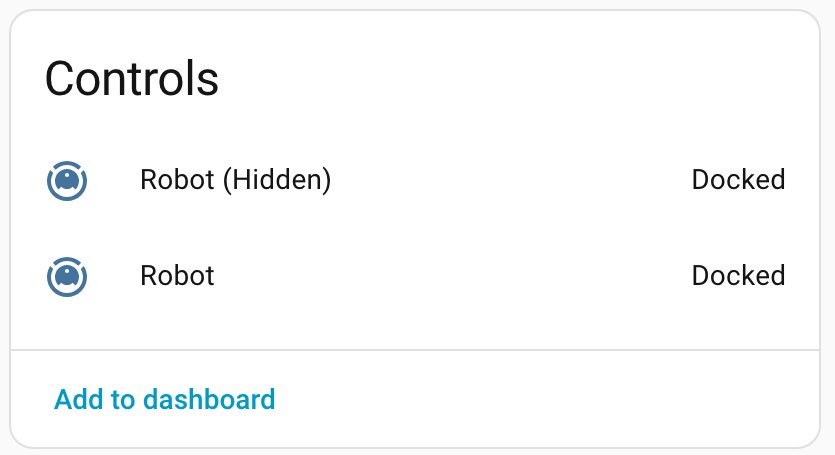
- The real vacuum is renamed (the example given is vacuum.robot_roborock) and hidden.
- Everything passes through to the original except vacuum.start, which now cleans your rooms one after another instead of running a full clean.
- Device, name, icon, area, labels, voice assistant exposure and room-to-area assignment carry over to the new entity.
Because the entity ID stays the same, dashboards, schedules and voice assistants keep working without edits. Deleting the integration entry gives the original vacuum its entity ID back.
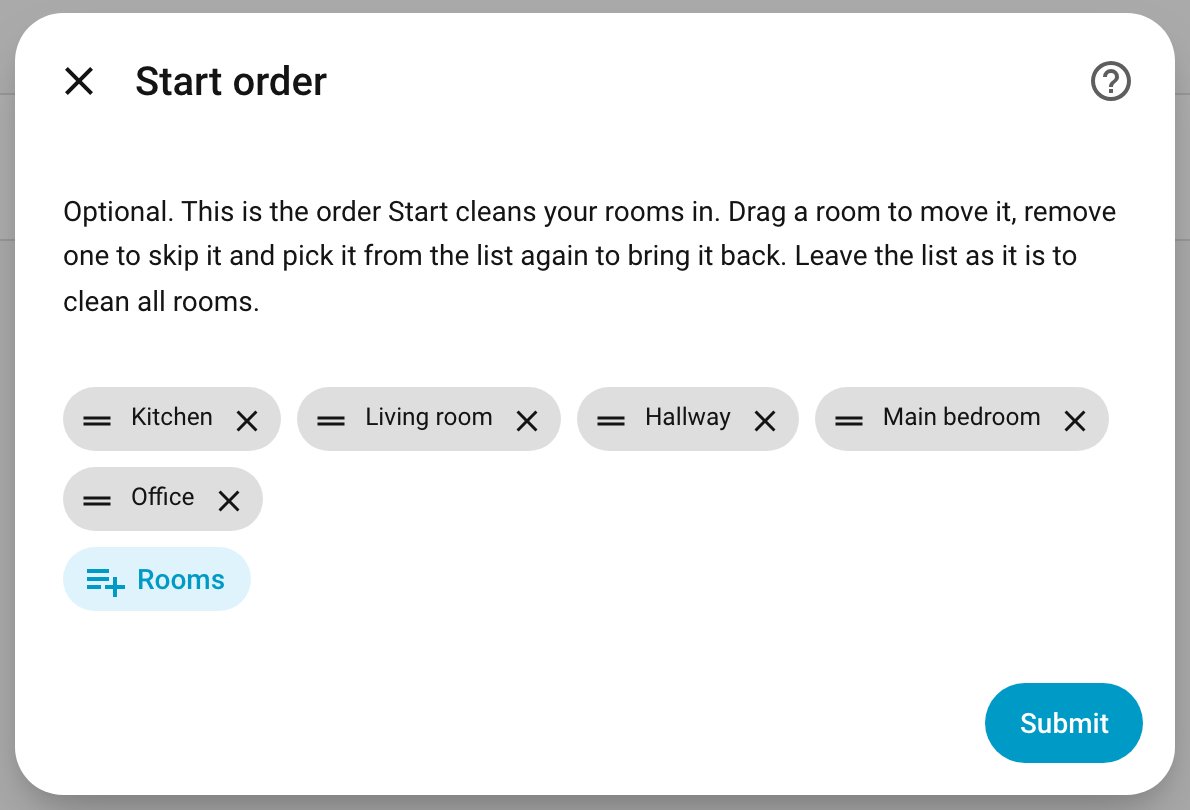
During setup you can set the room order, drag rooms to reorder them, or remove one to skip it, such as a balcony or garage. Leave the list alone and Start cleans everything. Home Assistant’s own Clean areas dialog and the vacuum.clean_area action still work, and rooms reach the vacuum in the order you tapped them. The author notes that whether a vacuum actually follows the order is up to its firmware.
What to check before installing
- Home Assistant version. It needs 2026.3 or newer, the first release with vacuum rooms (segments).
- Clean areas support. Open your vacuum in Home Assistant. If it offers Clean areas, it should work, and only vacuums with that support are listed in setup.
- Single-floor maps. If the vacuum reports no rooms yet, or rooms from several maps (a multi-floor setup), a room-by-room run cannot be planned. A warning is logged and the normal start is used, so your map is not protected in that case.
- Room changes. Room-to-area assignment is copied once at setup. If the vacuum’s rooms change later, reassign them in the dialog of the new entity.
- Do not rename the hidden original. If you did, reload the integration.
It installs through HACS as a custom repository, or by copying the folder into your custom_components directory, then adding it under Settings > Devices & services. The project is licensed Apache 2.0 and shows no stars or forks yet, so it has had little outside testing.
Our take
The entity-swap approach is clever, since it fixes the problem in one place instead of in every automation. It also means one more layer between your automations and the vacuum, and a hidden entity that other things may still reference. Back up Home Assistant first, and if your vacuum’s own firmware or app can lock the map, that remains the more direct fix. For vacuums without that option, this looks worth a careful trial on a spare weekend, not right before guests arrive.