
A Home Assistant community member has shared SK Irrigation Manager, a custom integration installed through HACS that adds a full irrigation panel to Home Assistant with no YAML required. The author says it started as a fix for their own garden: 24 Rain Bird stations across 3 controllers, plus solar, batteries and a generator, all previously run by a pile of scripts and automations. The current version is v1.5.1 (released October 18, 2026).
What it does
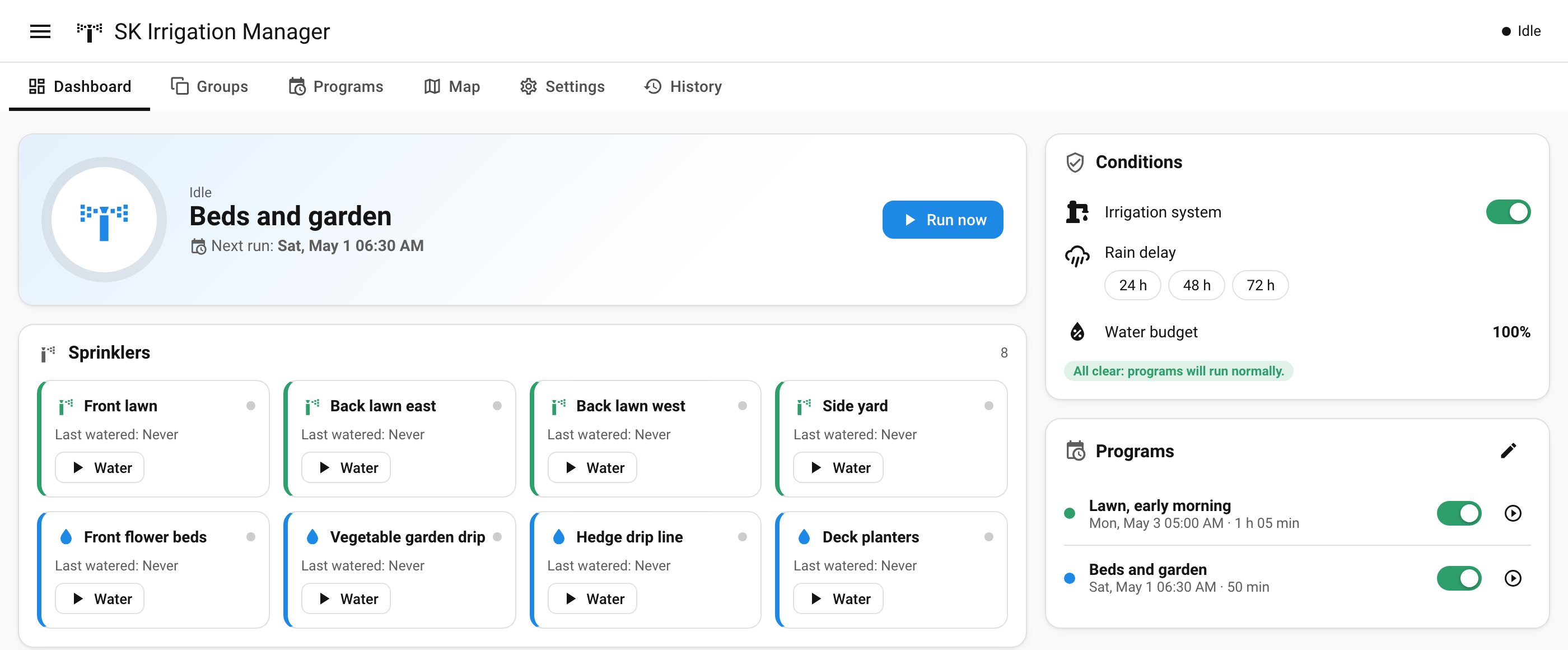
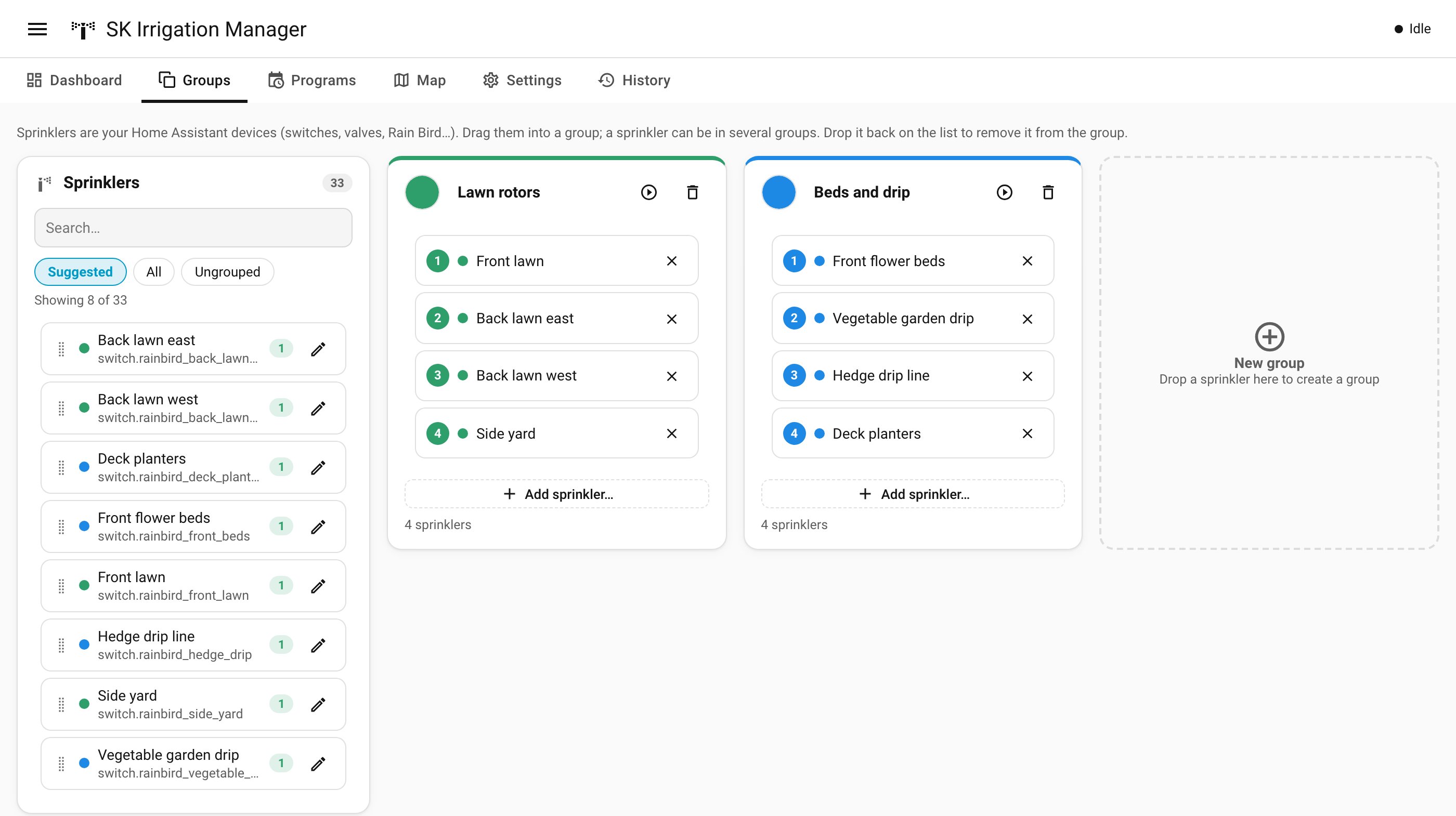
According to the author’s post, the integration reads your existing switch, valve, input_boolean, light and fan entities (Rain Bird, OpenSprinkler, Shelly, ESPHome, Zigbee and relays are all named) along with their Home Assistant areas. You then drag them into groups and build programs on top.
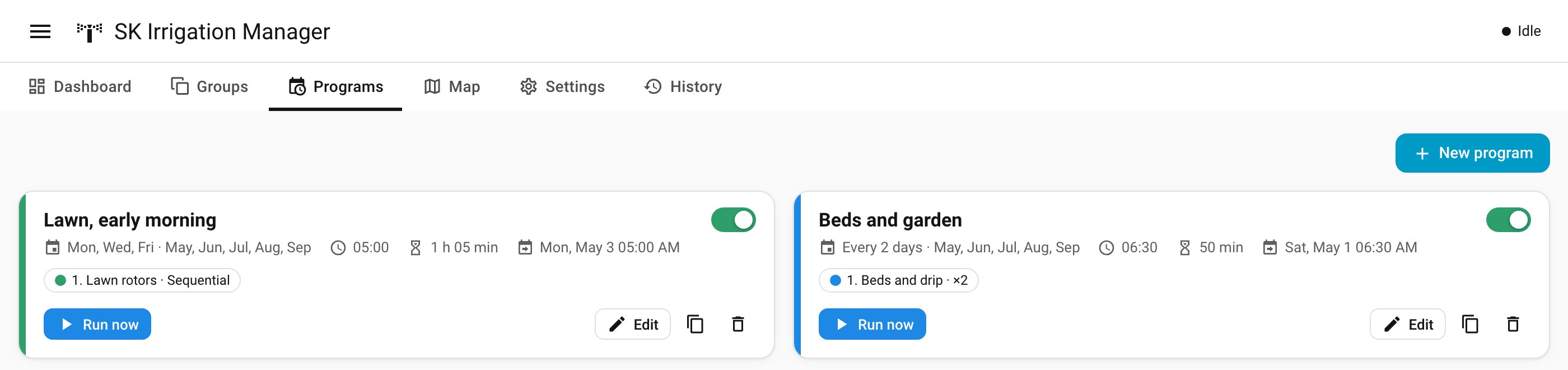
- Programs: several start times per day (fixed, or sunrise/sunset with an offset), weekdays, every N days, odd/even days, specific dates and active months. Sprinklers can run sequentially or several at once with a rolling queue.
- Timeline: a Gantt-style view where you drag bars to change a sprinkler’s time or order, with total duration and water use updating live.
- Conditions: state, numeric or Jinja template checks, global or per program, with an optional re-check before each sprinkler and while watering. The author’s example is stopping if the battery drops below 20 % or the generator starts.
- Quick skip: rain sensors, weather, frost, rain delay (24, 48 or 72 hours) and a water budget.
- Safety: master valve or pump with lead/lag, a cap on simultaneous zones, a maximum time per zone, valves closed after an unexpected restart, and unavailable sprinklers skipped.
- Rain Bird: it calls rainbird.start_irrigation with the exact duration rather than the controller’s fixed default, and works with several controllers.
It also provides four dashboard cards, status and next-run entities, and services including run_program, run_group, run_zone, skip, stop_all and set_rain_delay for your own automations.
What it means for an installed system
If your irrigation is already a stack of YAML scripts, this is aimed squarely at you, and the author published a before-and-after table mapping repeat loops, helper timers and stop scripts to built-in features. But a few checks first:
- Home Assistant version. It requires 2024.11 or newer and was tested on 2026.10.
- It is a custom integration, not an official one. It is one person’s project. Check the GitHub issues and changelog before relying on it, and take a Home Assistant backup first.
- Run it alongside, not instead, at first. Keep your old scripts disabled but intact until you have watched a few full cycles. Nothing on the pages says how it behaves if it and your old automations both fire.
- Test the safety behaviour yourself. Stop-all, restart handling and the sensor-unavailable setting are the features that protect your lawn and water bill. We installed it on our test Home Assistant and set up programs, but have not run real valves with it, so verify them with a short test run.
- Language. The panel is offered in Spanish and English, and the sidebar entry defaults to "Riego" (you can rename it when adding the integration).
What it does not do yet
Weather or evapotranspiration-based automatic adjustment, a calendar view of upcoming runs and water-usage statistics are listed only as ideas the author is considering. Do not buy or plan around them. The author says it works with Smart Irrigation’s percentage as a water budget source, so that integration can still calculate durations while this one handles scheduling.
The author is also asking for feedback on other controllers such as OpenSprinkler, ESPHome valves and Zigbee or Z-Wave valves. Rain Bird is the one described as native, so with other hardware, expect to be an early tester.
Details, installation steps and the issue tracker are on the original Home Assistant community post.