
A community member posted a new dashboard card for Home Assistant on October 14, 2026. Solar Flow Card is aimed at homes with solar and a battery, and the author’s goal was one card that answers where power is coming from right now, how long the battery will last, and how the day went.
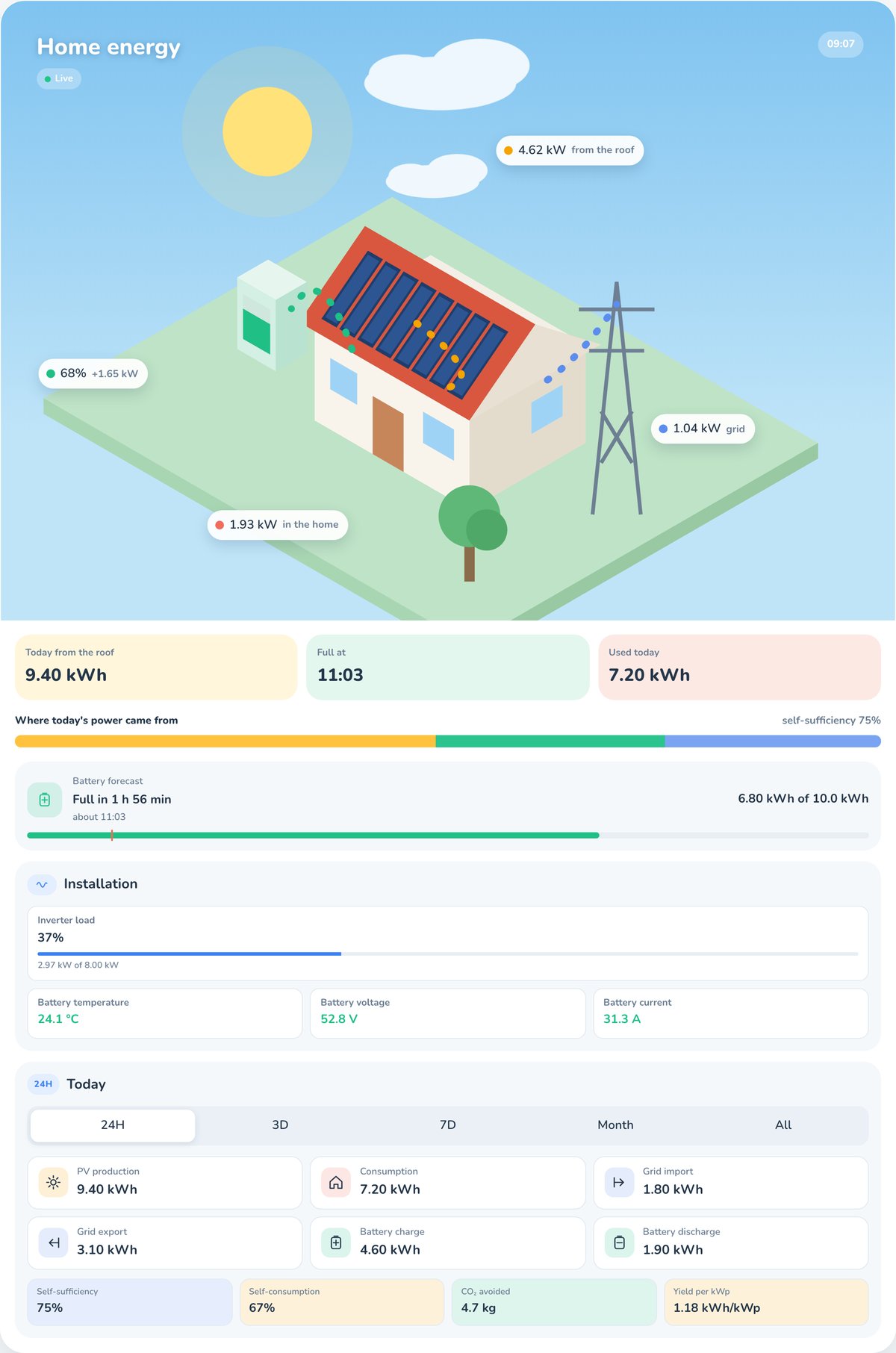
What it shows
- Live power flow between solar, battery, grid and home, animated in the direction energy moves.
- Battery forecast: a “full at” time while charging, and a “lasts until” time while discharging, down to your reserve.
- Periods from 24 hours to all time, with totals and charts, plus a summary of self-sufficiency, self-consumption, savings, avoided CO2 and yield per kWp. Each summary item can be switched off.
- Installation details: power on each phase (L1, L2, L3) with the spread between them, inverter load against rated power, battery temperature with a cold or hot warning, and the generator while it runs.
- Panels: one tile per optimizer, with the weakest panel highlighted. It also works without PV, for battery and EMS setups.
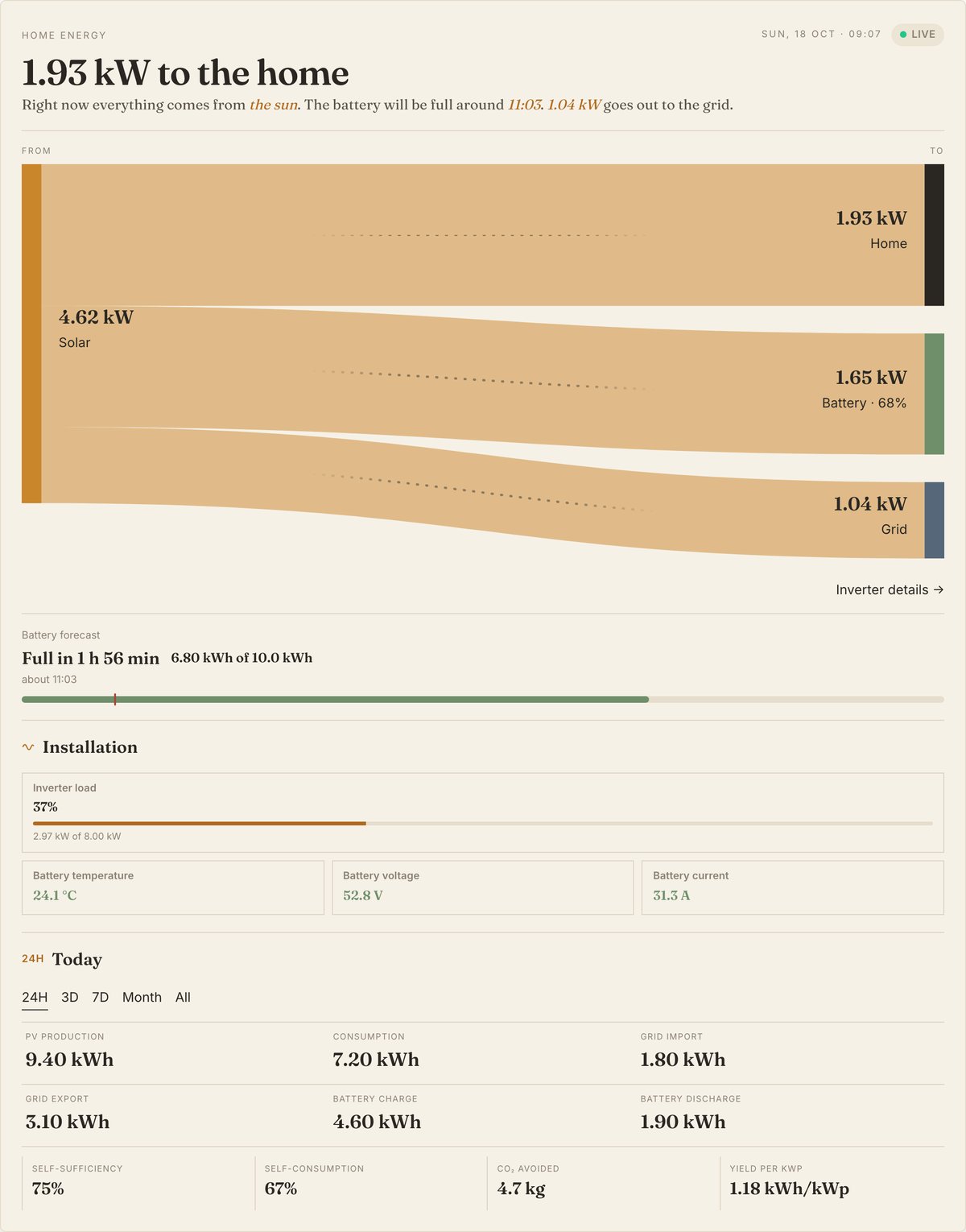
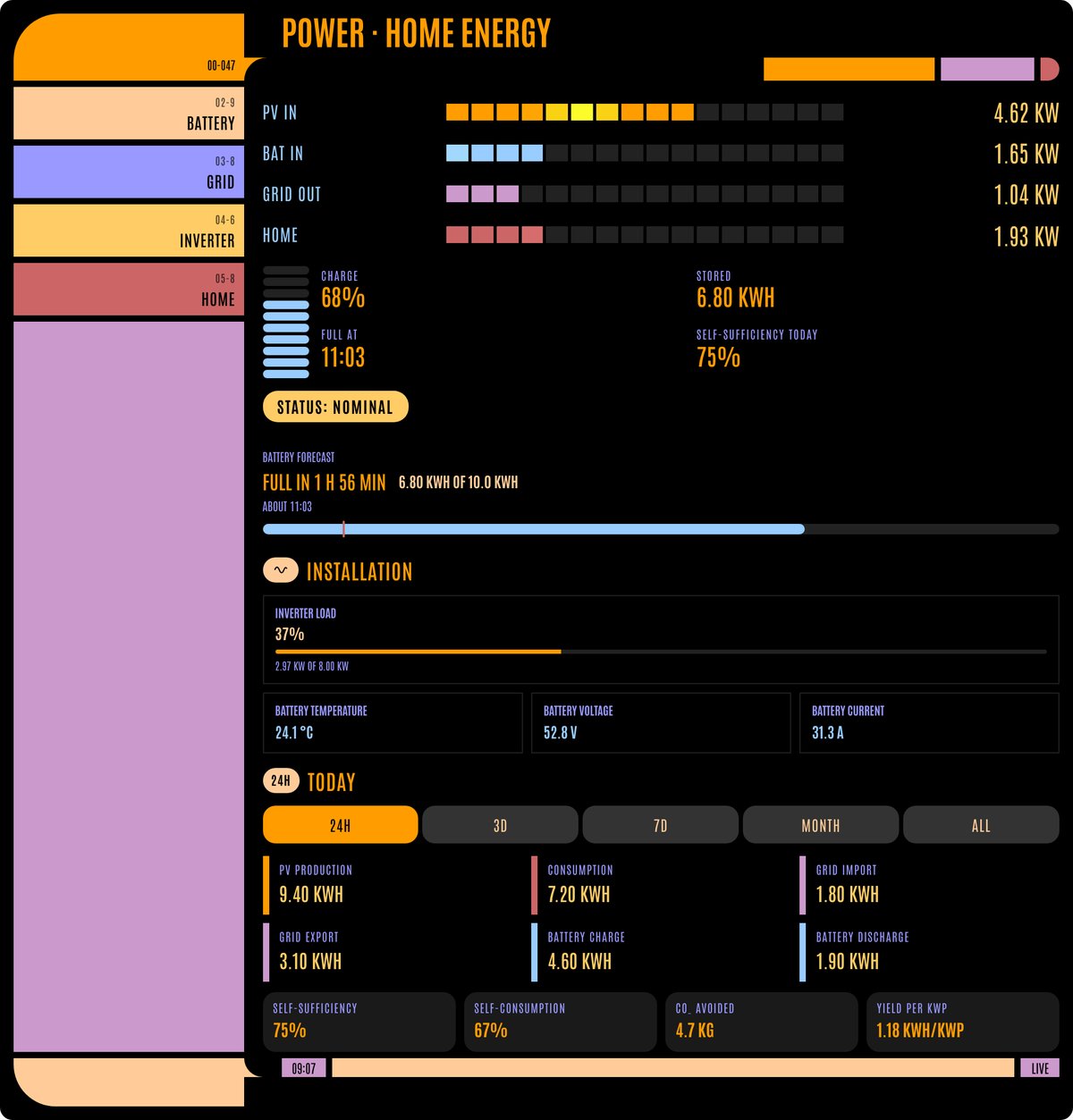
It launched with eight themes and now has ten, from a house diorama whose sky follows the time of day to a Sankey-style page and several sci-fi looks (LCARS, Foundation, Expanse). The author offers a browser demo with fake data, so you can judge it before installing anything.
The catch: it is only a display
The author is clear that this is a dashboard card only, not an inverter integration. It does not talk to your inverter or its cloud. It shows sensors that already exist in Home Assistant, so you need an integration providing them first. For Deye inverters the author names hass-deyecloud, and the card detects those sensors automatically. For other brands you would use Solarman, Modbus or the vendor’s own integration, then map the sensors under entities: in the card (power, state of charge and daily energy; per-phase and battery details are optional).
History comes from Home Assistant’s own recorder and long-term statistics, and the author says the card makes no extra cloud requests. That is a good sign for anyone who wants a fully local setup, though the cloud behaviour of the underlying integration is a separate question. Check whether yours polls a vendor cloud.
What to check before installing
- Your sensors first. If your inverter data is not already in Home Assistant, this card will show nothing useful. Get that working before you think about themes.
- Non-Deye inverters are the less tested path. The author specifically asks for feedback and screenshots from other brands to smooth out setup, which tells us manual mapping is where rough edges are most likely.
- It is a custom card, not core. Install is through HACS as a custom repository (type Dashboard) from the author’s GitHub project. Custom cards depend on one person’s upkeep, so after a Home Assistant update, confirm the card still renders before you rely on it.
- Language. The visual editor is available in English and Polish. Adding a language is a single JSON file.
- Treat the forecast as an estimate. The pages do not explain how the “lasts until” time is calculated, so do not size reserves or backup plans around it.
Our take
If you already have solar and battery data flowing into Home Assistant, this looks like a tidy way to get a single energy overview without building one from stock cards. It is a fresh community project, so try the demo, install it alongside your existing dashboard rather than replacing it, and keep what you have until it has proven itself on your setup. If you are still choosing an inverter, favour one whose integration is local, since the card is only as reliable as the sensors behind it.