
Dwain Scheeren, the creator of Dwains Dashboard, has posted Dwains Dashboard Next to the Home Assistant community forum. It is a complete rebuild of the original idea: Home Assistant already knows your areas, floors, devices and entities, so the dashboard should build itself from them. It is free and open source under the MIT license, and the current release is 1.12.1. The post links a demo video, and the creator’s announcement is the source for everything below.
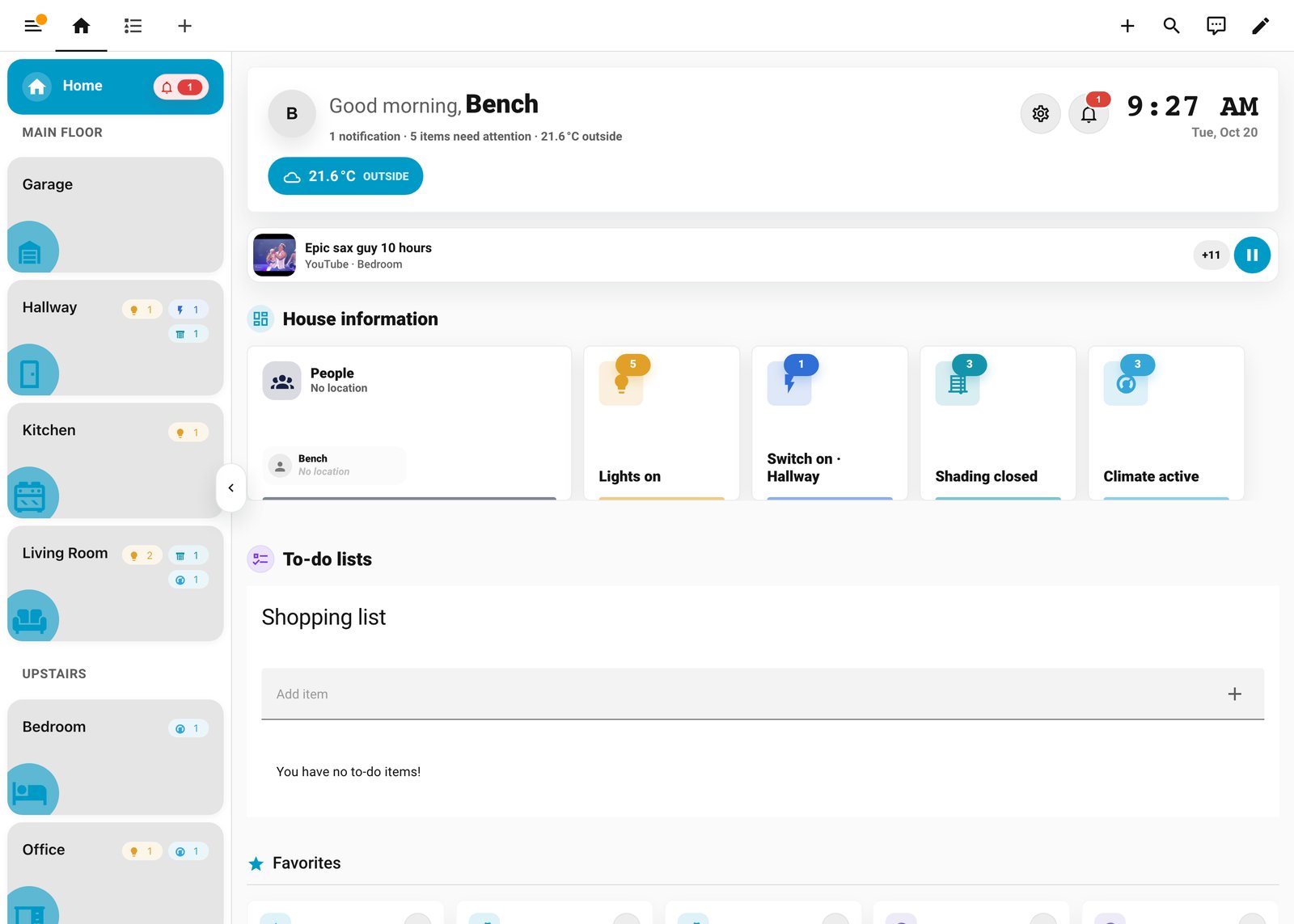
What it does
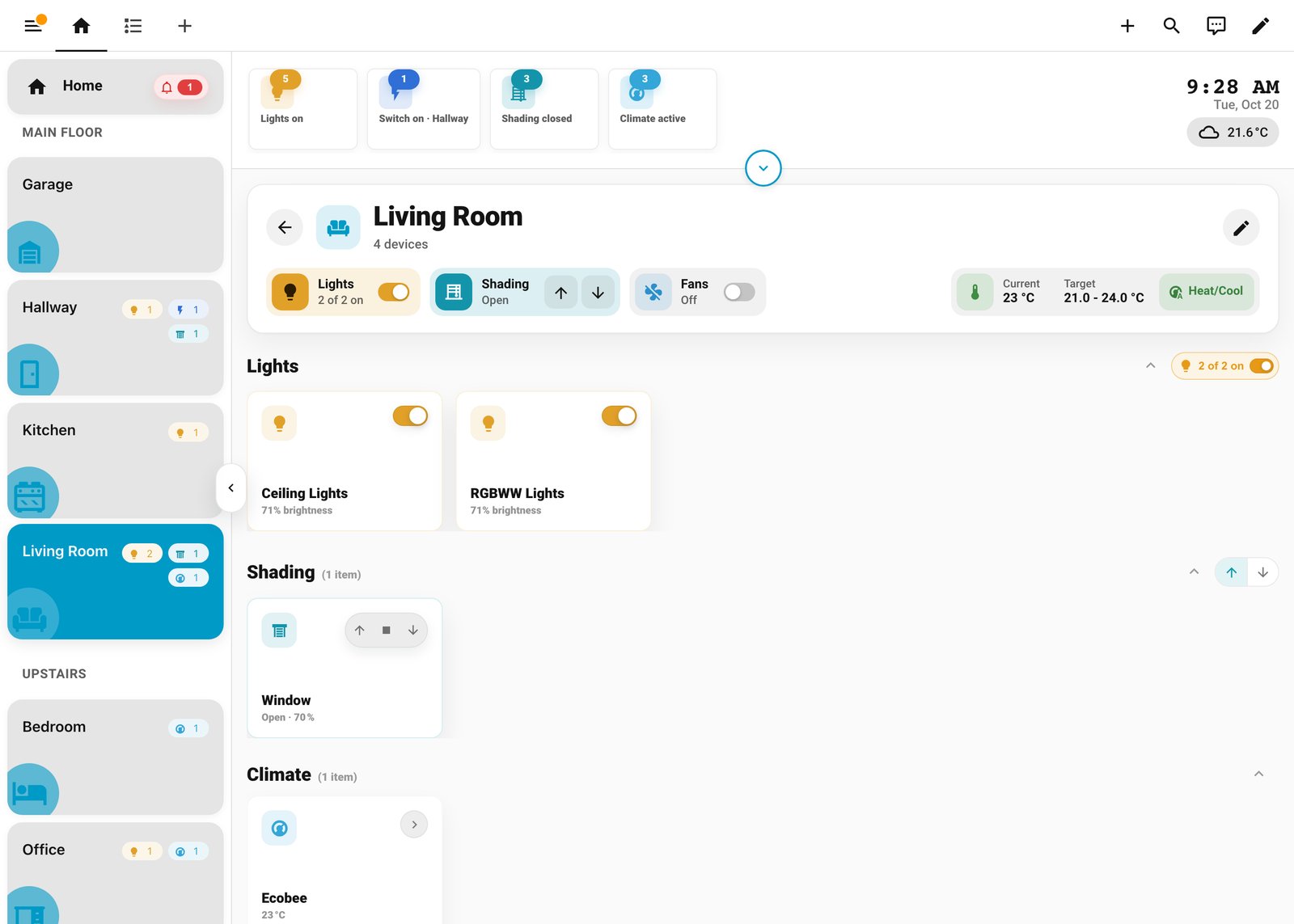
Next reads the structure you already maintain. Areas become rooms, floors give those rooms structure, and entities are grouped by type: lights, switches, covers, climate and sensors. The creator is clear about the limits. It does not set up your integrations or write automations, and unusual entities or custom cards may still need configuration. The goal is an automatic everyday dashboard with easy exceptions.
- Home page: areas, camera previews, people, climate, power usage, favorites, to-do lists, scenes and scripts, and maintenance summaries. You choose which sections show and in what order.
- Room pages: entities grouped by type, group controls for lights, switches, fans and covers, and a compact thermostat in the header when a room has exactly one visible climate entity.
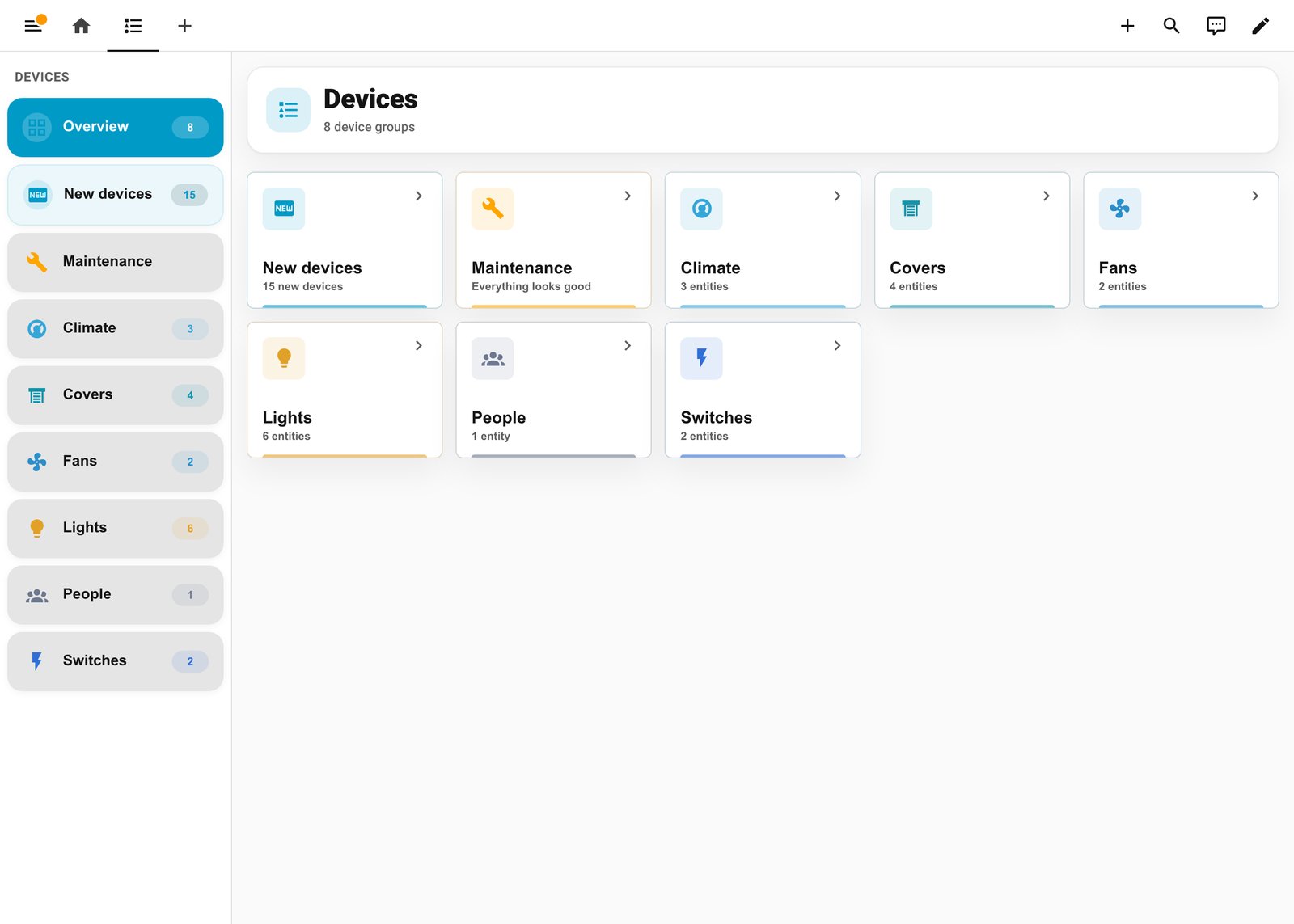
- Devices view: everything by domain across the house, plus maintenance and live power by area. The power view is not a replacement for the historical Energy dashboard.
- Now playing bar: artwork, title and room for an active media player.
- Wall tablet mode: hides the Home Assistant header and sidebar, returns to Home after inactivity, and offers a clock, single image or photo slideshow screensaver. Settings are per browser and per dashboard, so a hallway tablet does not change your phone. Keeping the tablet’s physical screen awake is still up to the tablet’s own settings.
You can add standard Home Assistant card YAML at the top or bottom of a room, or around generated cards. Blueprints add extra pages and replacement cards; any third-party cards a blueprint uses need their own installs. The dashboard can also restrict its editing and settings interface for non-admin users, but the creator notes these are interface controls and do not replace Home Assistant’s backend authorization.
What to check before installing
- Version: it requires Home Assistant 2026.5.0 or newer, plus HACS.
- Install path: add dwainscheeren/dwains-dashboard-next to HACS as a custom repository with type Dashboard, install it, reload frontend resources, then use Settings, Dashboards, Add dashboard and pick it from the community dashboards. It runs as a JavaScript dashboard resource, so there is no custom Python integration or dashboard YAML in a normal install.
- YAML-managed resources: if your Lovelace resources are managed in YAML, HACS cannot register it for you. The creator gives a resource entry pointing at /hacsfiles/dwains-dashboard-next/dwains-dashboard-next.js with type module, to be merged into any existing lovelace: section, followed by a hard browser refresh.
- Coming from Dwains Dashboard 3: Next is a separate project that can sit alongside DD3. It is not a drop-in update and does not promise automatic migration of old configurations or blueprints. Keep your working dashboard while you try it.
What it means for an installed system
The dashboard is only as good as your area assignments. If devices sit in the wrong area, or room temperature and humidity sensors are not linked to their areas, the room headers and climate averages will be wrong. The creator suggests assigning devices and entities to the correct areas first, linking each area’s sensors, then choosing your Home sections, favorites, scenes and scripts. That is housekeeping worth doing regardless of which dashboard you use.
It is a frontend-only add-on that installs next to your current dashboard, so trying it is low risk. We installed 1.12.1 on our test Home Assistant with demo devices to take the screenshots above, but have not lived with it day to day, and we would treat it as a new 1.x project: test it on a spare tablet or a second dashboard before pointing a wall panel at it. If you find a bug, the creator asks for your Home Assistant and Next versions, your browser or device and screen size, the steps to reproduce, and a screenshot with personal information removed.