

A Home Assistant forum member recently shared a script for sending one notification to several devices, with a picker so you can choose which ones get it. It is a small project, but it raises a question every installed system runs into: what is the cleanest way to notify more than one phone or tablet? We ran the script on our test Home Assistant and looked at what Home Assistant’s own documentation says.
What the script does
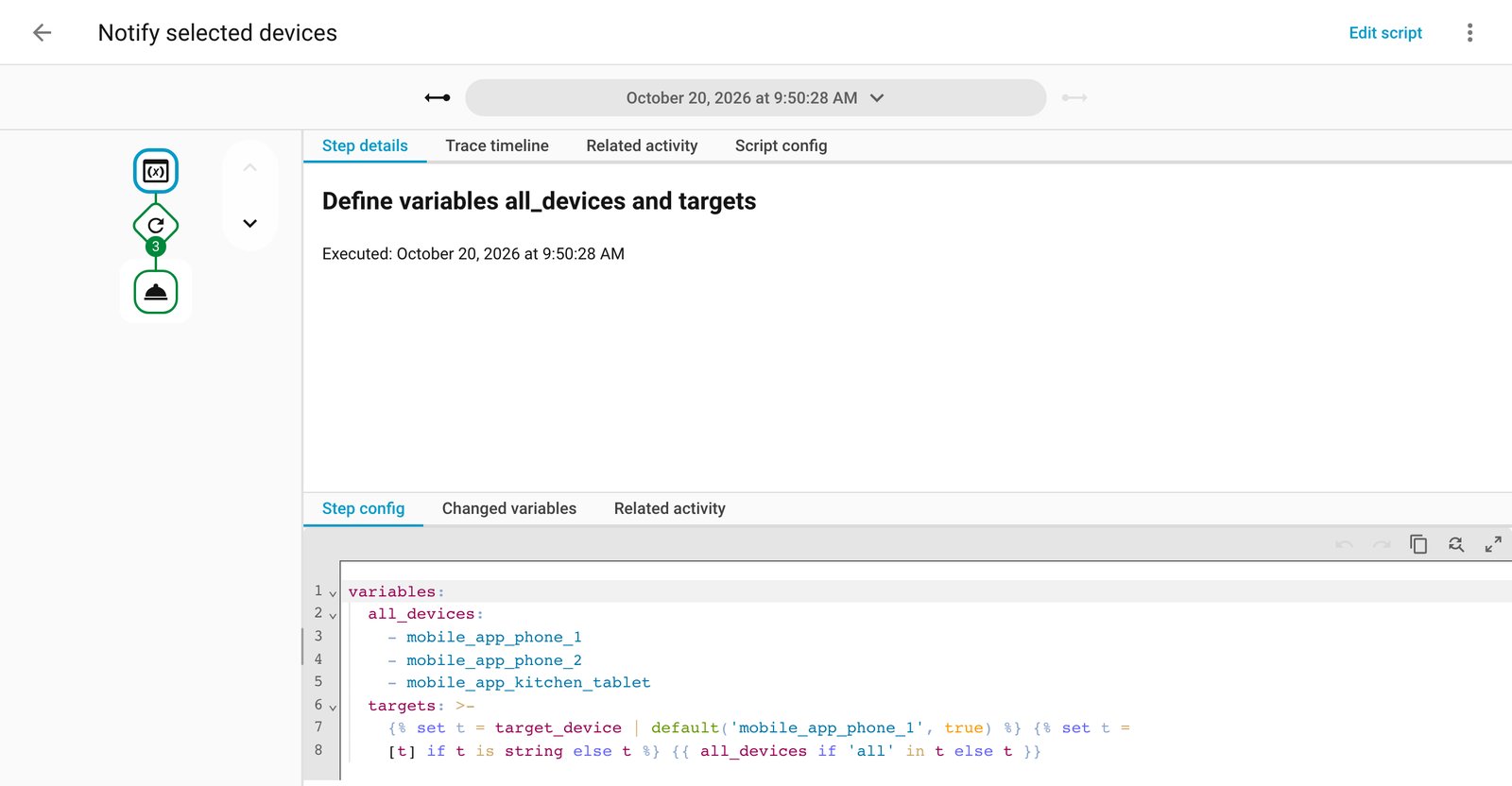
According to the forum post, the author started with a basic script that notified one iPhone, then reworked it (with help from an AI assistant) to target a chosen device, and then several at once. The script has three inputs: a device selector that allows multiple choices, a title and a message. The device list includes an “All devices” option. If you pick it, the script swaps in the full list of devices. Otherwise it loops over your selection and calls each device’s notify action in turn, with errors on one device not stopping the rest.
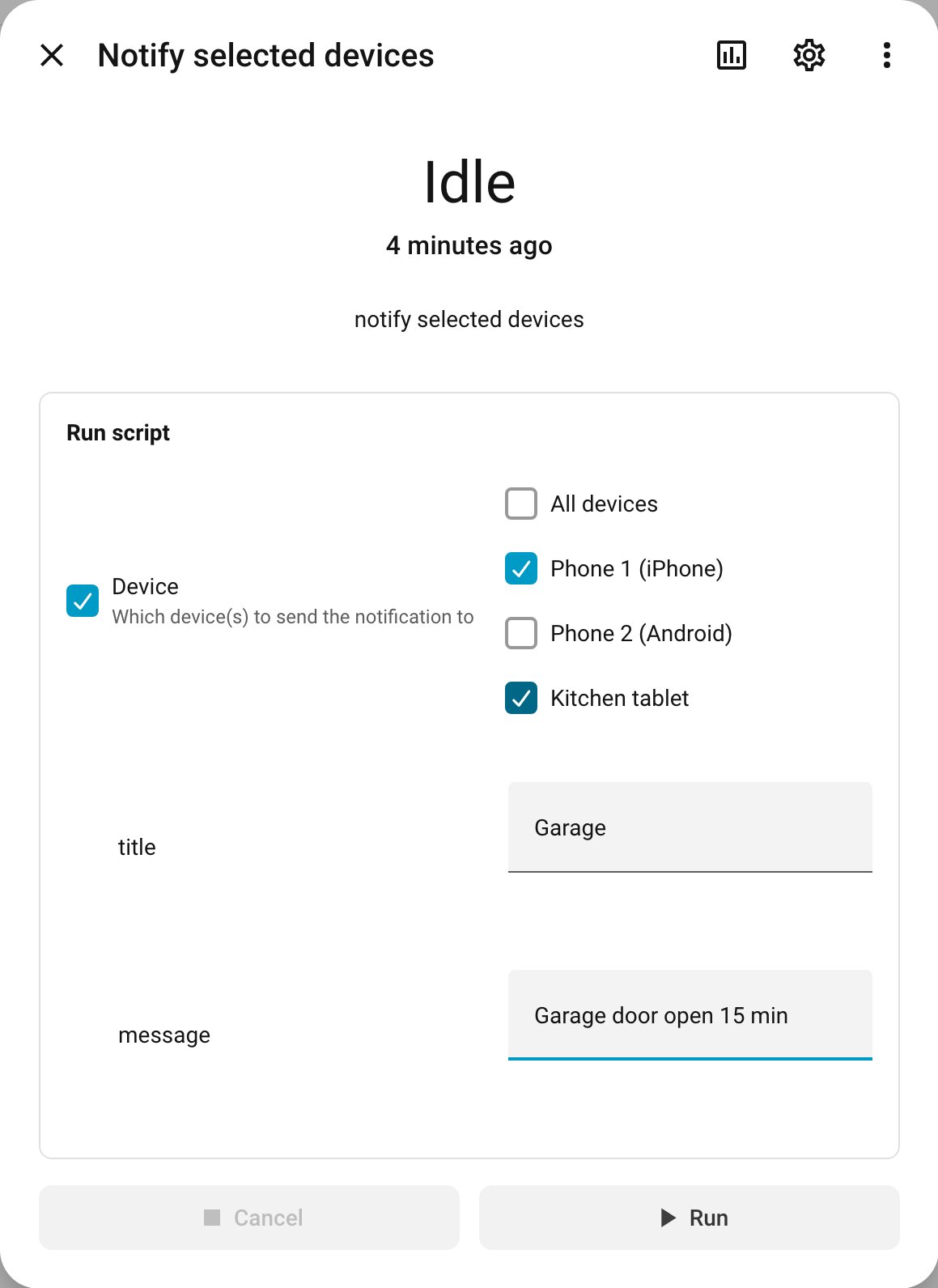
To adapt it, you edit the labels and values in the selector to match your own mobile app notify services. The author suggests it could also suit wall-mounted Android displays.
The built-in alternative
One reply asked why not use notify.send_message, which can target devices directly. Home Assistant’s documentation calls it the recommended action for notify entities. You can target a single entity, a device, an area, a floor or a label, and you can mix target types in one action. Home Assistant then sends to every matching notify entity. The title is used only where the target supports titles; otherwise the message goes without one.
The original poster answered that they have many automations and editing YAML is a pain, and that the script makes the visual editor simpler. That is a fair reason. A single script with a device picker means each automation only needs one action with a few fields.
What this means for your system
- Check what your phones expose. The built-in action works on notify entities. The docs say that if an integration still provides only a legacy notify action, you should use that integration’s action instead. The forum script calls those per-device actions, which is why it works with the mobile app services.
- Labels are the tidy route. If your phones do expose notify entities, putting a label on the ones you want and targeting that label means adding a new phone later does not require touching any automation. That is our suggestion, built on the targeting options the docs describe.
- Keep the script if the UI editor matters to you. A wrapper script is a reasonable trade if you build automations visually and want one reusable notify step with a picker.
- Test before relying on it. The docs point to Settings, Tools, Actions, where you can fill in the fields and run the action against your own entities. Do that for any notification you depend on, such as a water leak or garage alert.
- Remember the hard-coded list. The forum script keeps its device list inside the script. When you replace a phone, update that list or notifications to the old one will quietly fail, and with error handling set to continue you may not notice.
Our take
For new setups, start with the official action and targets by label or area, since it needs no custom code and follows how Home Assistant targets everything else. The shared script is a handy pattern for people who live in the visual editor, not a replacement for the documented route. Either way, notifications stay inside your own Home Assistant, which is where we like critical alerts to start.