
A new custom card called Tabdeck Card is now in the default HACS store, with v1.1.0 released this week. It puts any number of ordinary Lovelace cards behind a tab bar, with a full visual editor, so a crowded dashboard can fit in one card. It is a frontend card only: it does not touch your Zigbee, Z-Wave or Matter devices.
What was announced
The author, posting on the Home Assistant community forum as tempus2016, says they built it because older tabbed cards kept breaking after Home Assistant frontend updates. Tabdeck does not use any outside UI components, so Home Assistant’s own components should not clash with it. That is the author’s claim, and we have not run the card ourselves.
Two practical points stand out. Tabs stay loaded when you switch between them, so maps, cameras and graphs should draw correctly the first time, without the navigate-away-and-back trick. And there is a browser-based live demo with fake devices, so you can try it before installing anything. The wiki also lists an optional lazy-mount setting for inactive tabs, which matters if you put several camera streams on one dashboard.
What it can do
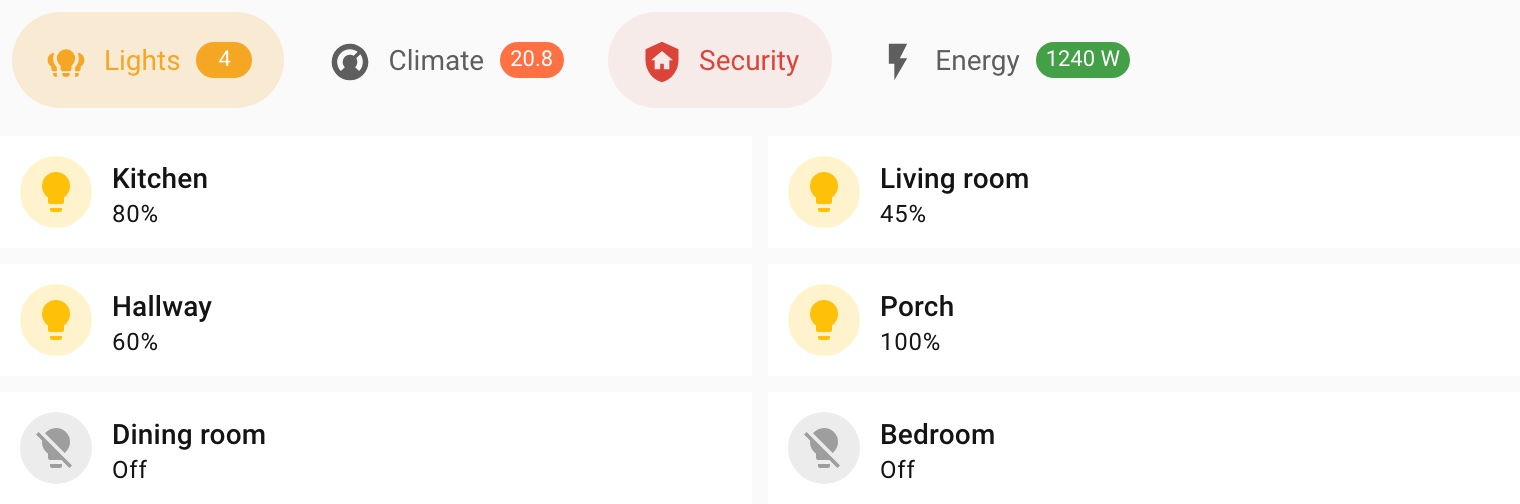
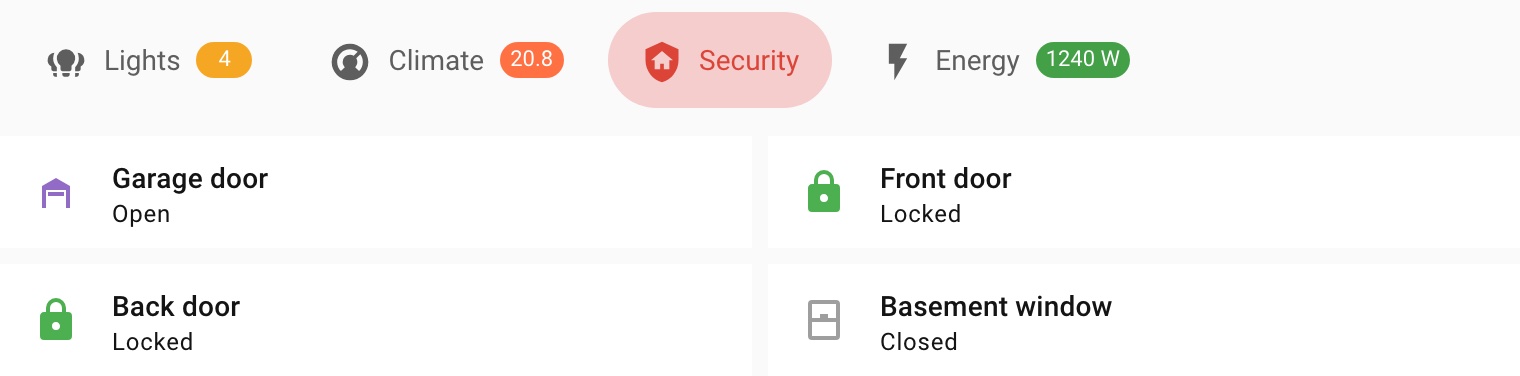
- Reactive tabs: badges from an entity or template, icons and colours that change with state, and an alert pulse while conditions are met, such as a garage door left open or a leak.
- Visibility rules: show or hide tabs by state, number, screen size, time, user or template. The editor will tell you why a tab is hidden right now.
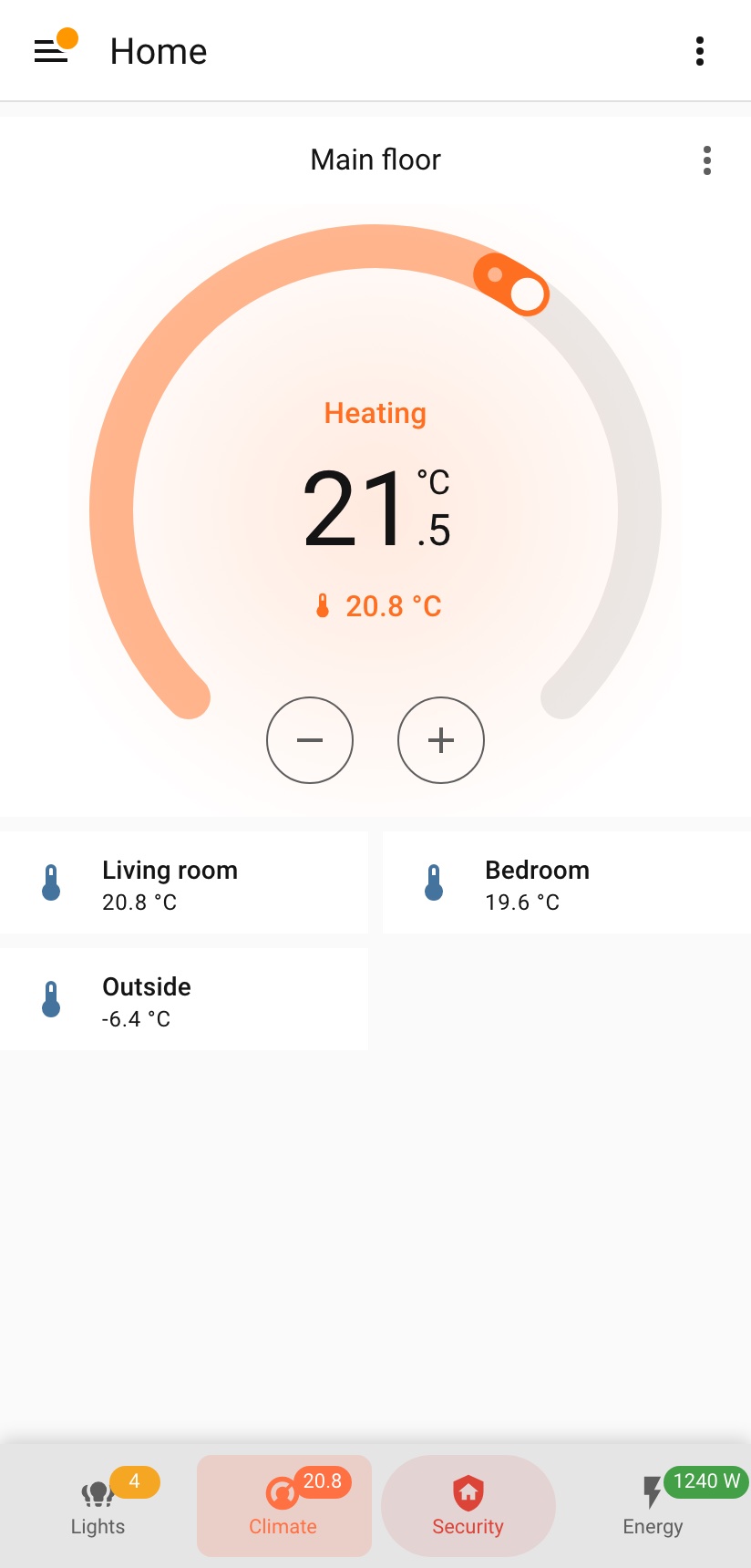
- Layouts: bar at the top, bottom, left or right, style presets, a phone-style bottom dock, grouped tabs and a split view for wide screens.
- Wall panel features: auto-rotate through tabs, pause when someone touches the screen, and return to a default tab when idle. The selected tab can be remembered per browser, in the URL, or across devices through a helper entity.
- Starter templates: Rooms, Lights, Security, Media, Climate, Energy or Family, built from your own entities.
What it means for an installed system
If you already use the kinghat tabbed-card, the author says your existing config keeps working, and you can paste it into the editor’s Convert option to get native Tabdeck tabs. The converter also accepts swipe-card, state-switch, Bubble Card pop-ups, stacks, grids and sections views, and explains anything that cannot carry over.
Before you install on a system people rely on:
- Try the demo first. It needs no Home Assistant instance.
- Test on a spare dashboard. Convert a copy of a view rather than replacing your working one, and keep a backup before you change anything.
- Check the wall tablets. Auto-rotate, idle return and the helper-based tab sync are the features that matter for panels. Try them on the actual hardware.
- Remember it is a community card. It is a single-author project, and the whole reason it exists is that older tabbed cards broke on frontend updates. After each Home Assistant release, check the card on a test view before relying on it, and watch the project’s issues page.
The card is available in the default HACS store: search for Tabdeck Card, add a card, and pick it from the list. The author’s wiki documents every option, and the post invites feedback and feature requests. The author says the expand-the-selected-tab option in this release came from a suggestion on GitHub.
Our take: this is a tidy-up tool for dashboards, not something that changes how your home runs. If your phone or wall panel view has become a long scroll, it is worth ten minutes in the demo.