
A forum user asked whether the Adaptive Lighting integration is better set to fixed times than to the position of the sun, because his work hours stay the same all year. The short answer is yes, that works, and it is a built-in option. We installed version 1.32.0 on our test Home Assistant, ran it with one lamp on the real sun and one on fixed times, and measured both. Below is what the integration does, how to set each version up, and what we saw.
What Adaptive Lighting does
Adaptive Lighting is a custom integration by basnijholt, installed through HACS or by copying one folder. It changes the colour temperature and brightness of the lights you give it, warm and dim around sunrise and sunset, cooler and brighter in the middle of the day. It runs as a switch in Home Assistant, and you can have several switches with different lights and settings.
Sun position or set times: the answer
Both are the same calculation. The integration works out a “sun position” number from -1 to 1: it is 0 at sunrise and sunset, rises to 1 at the middle of the day, and goes down to -1 in the middle of the night. Colour temperature follows that number. The only difference is where it gets sunrise and sunset from. By default it uses the real ones for your Home Assistant location. If you fill in sunrise_time and sunset_time (written HH:MM:SS), it uses those instead, every day of the year, and the real sun is ignored. We checked this in the integration’s own code and then on the bench.
On the bench, at the same moment, one lamp followed the real sun (still dark, sunrise 08:48) and one used fixed times of 06:00 and 16:00:
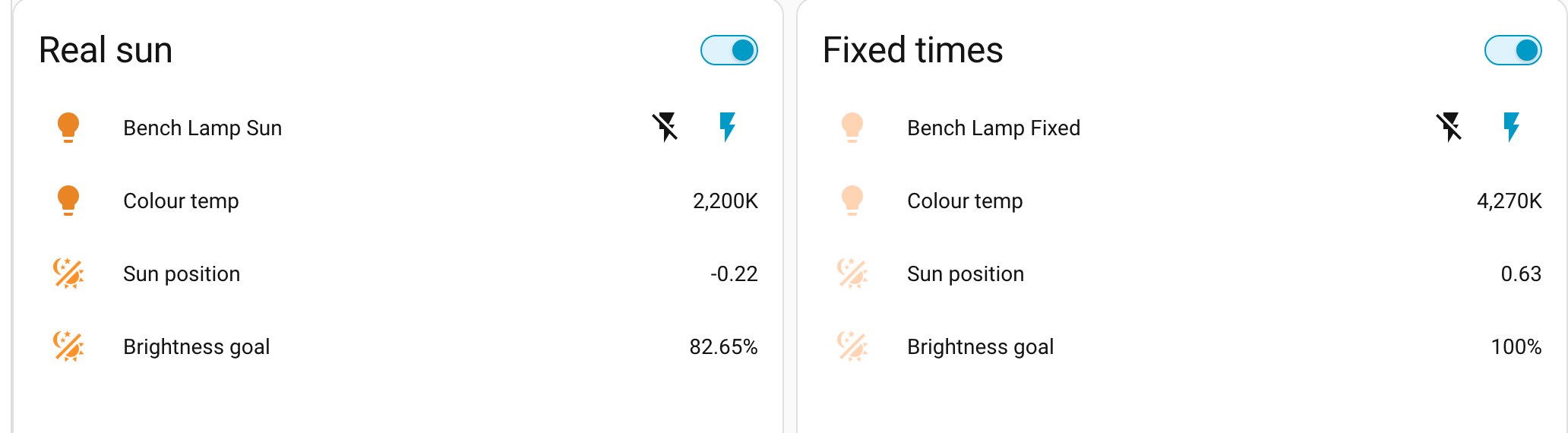
So for someone with a fixed routine, fixed times do what he asked for: the lights get bright and white at the hour you choose, in December as much as in June. One limit from reading the code: the curve is a smooth hill between your two times, centred halfway between them. You cannot make the morning bright white and the evening cool from those two settings alone, because the curve rises and falls symmetrically. Moving sunset earlier makes the evening wind down earlier; the sleep mode below is the manual tool for “dim and warm now”.
Set it up
- Install it. With HACS, add the repository as a custom integration (the author documents this; we did not test HACS). By hand, copy
custom_components/adaptive_lightingfrom the release into your config folder and restart. We tested 1.32.0, released September 6, 2026. - Go to Settings, Devices & services, Add integration, Adaptive Lighting. It asks only for a name. Once you already have one instance it first asks whether to create a new one or duplicate an existing one.
- Click the gear on the new entry to open its options. Pick the lights, then the basics:
interval(how often it adapts, seconds),transition,min_brightnessandmax_brightness,min_color_tempandmax_color_temp, and the sleep values. - For fixed times, open Advanced settings and fill in
sunrise_timeandsunset_time. Leave them as None to use the real sun.
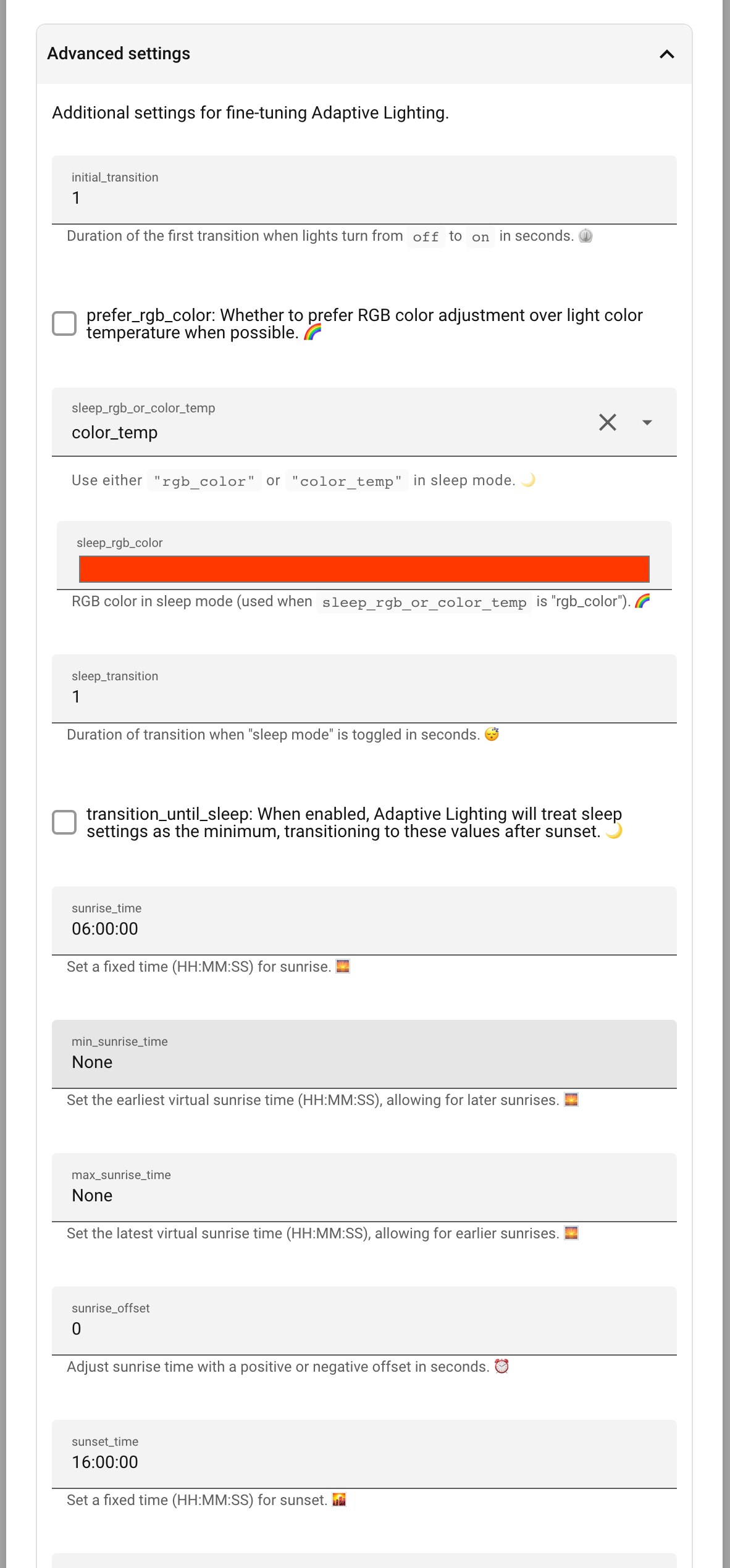
Next to those two there are min_sunrise_time and max_sunrise_time (and the same for sunset), which keep the real sun but stop it going earlier or later than a time you choose, and sunrise_offset and sunset_offset in seconds. By the option descriptions, a min_sunset_time of 19:00 would keep a winter evening cool and bright until 19:00 even though the real sun sets at 16:00. We did not test these four.
What it adds to Home Assistant
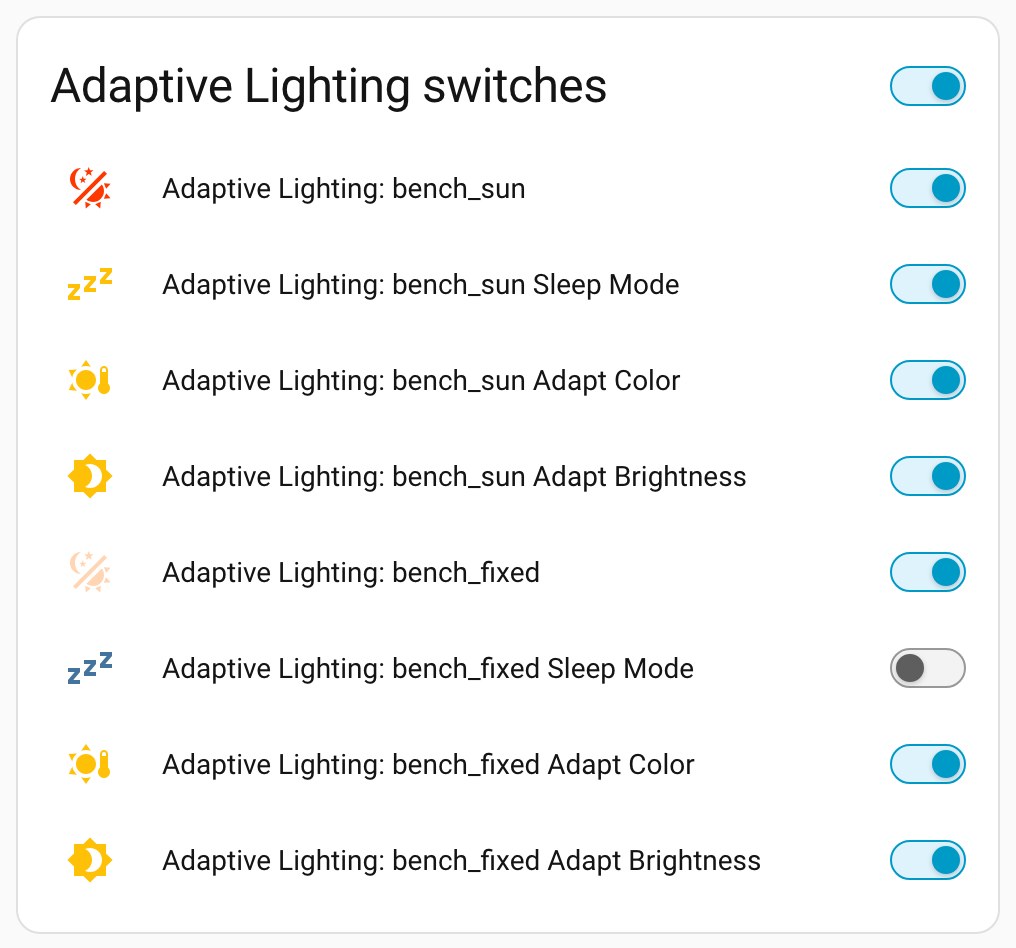
Each instance creates four switches: the main one, plus Sleep Mode, Adapt Color and Adapt Brightness. It also adds three services, adaptive_lighting.apply, adaptive_lighting.set_manual_control and adaptive_lighting.change_switch_settings.
What we tested
Test setup: Home Assistant 2026.10.1 in Docker, Adaptive Lighting 1.32.0, two template lights that take brightness and colour temperature, the location set to Edmonton, November 11, 2026. Settings: 2200 K to 5500 K, minimum brightness 20 percent, sleep brightness 5 percent, interval 30 seconds, take over control left on.
| Test | Result |
|---|---|
| Install and setup | Pass. Setup asked for a name, options opened from the gear, both entries created four switches each. |
| Colour temperature and brightness follow the real sun | Pass. Pre-dawn the lamp held 2,200 K at 207 of 255 brightness, matching a computed 82 percent. |
| Fixed sunrise and sunset times | Pass. 06:00 and 16:00 gave 4,200 K and full brightness at the same clock time. Changing the times to 03:00 and 07:00 through change_switch_settings dropped the lamp to 2,200 K and 221 of 255. |
| Sleep mode | Pass. Switching it on set the lamp to 5 percent brightness; switching it off returned to the normal value. The lamp showed 2,000 K rather than our 1,500 K setting, because our test lamp reports 2,000 K as its warmest. Real lamps have their own limit. |
| Manual override (take over control) | Pass. We dimmed the lamp to 30 percent from another source; the lamp was listed under manual control and stayed at 30 percent through more than one adapt cycle. |
The apply service | Pass, with a surprise. Called on that manually controlled lamp it forced the settings back (207 of 255) while the lamp stayed on the manual-control list. set_manual_control with false cleared the list. |
The sun, through the morning
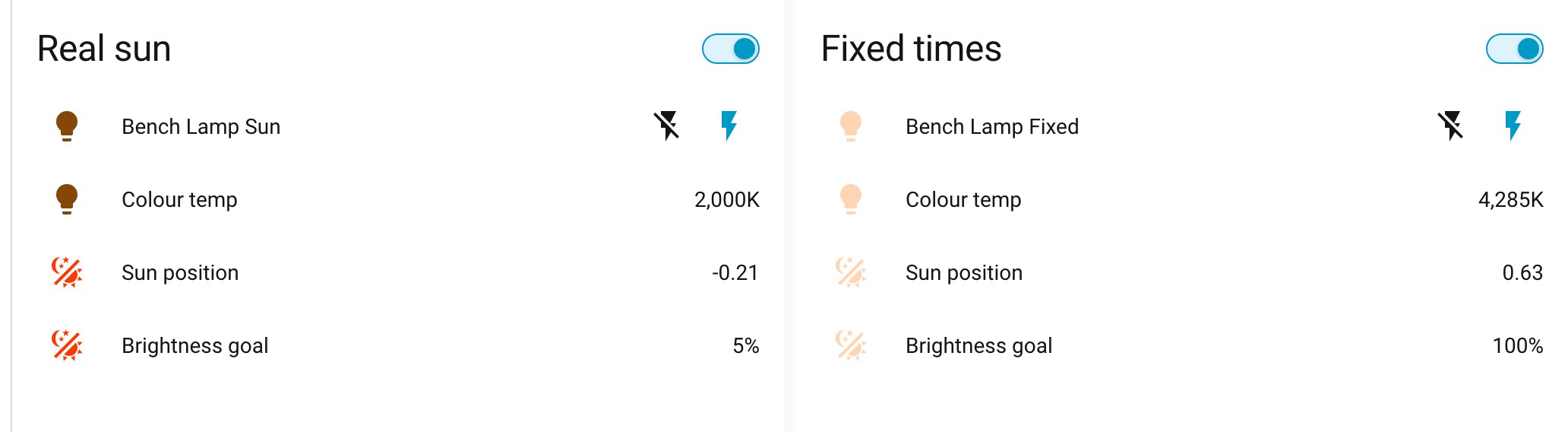
We logged the real-sun switch every ten minutes on the test Home Assistant as the sun came up (clock time is local, sunrise was 08:48):
| Time | Sun position | Colour temperature | Brightness goal |
|---|---|---|---|
| 07:52 | -0.233 | 2200 K | 81 percent |
| 08:02 | -0.193 | 2200 K | 85 percent |
| 08:12 | -0.152 | 2200 K | 88 percent |
| 08:22 | -0.112 | 2200 K | 91 percent |
| 08:32 | -0.069 | 2200 K | 95 percent |
| 08:42 | -0.025 | 2200 K | 98 percent |
| 08:52 | 0.03 | 2300 K | 100 percent |
| 09:02 | 0.103 | 2540 K | 100 percent |
Colour temperature stays on the warmest setting until the sun position goes above zero, then climbs in proportion to it. Brightness is different: in the default mode it ramps up from the minimum before sunrise and is at the maximum as soon as the sun position passes zero.
What it means for an installed system
- The main trap: if another source (a scene, an automation, a wall panel) calls
light.turn_onwith its own brightness on a light that is already on, Adaptive Lighting treats it as a manual change and leaves that light alone until the manual flag is cleared. We saw this in the manual override test. - Keep one instance per room or group with the same needs. Duplicating an instance copies its options, which saves retyping.
- Choose a fixed schedule or the real sun per instance. Bedroom on the sun, a home office on 06:00 and 16:00, is a normal split.
What we could not check
- Installation through HACS (not on our bench).
- Behaviour on real bulbs, including how fast they change and how Zigbee or Hue lights handle many commands.
- What the sleep colour looks like on a lamp that can reach 1,000 K, the integration’s default sleep value.
- The tanh and linear brightness modes, the take over mode that pauses only the changed attribute, and the option to detect changes made outside Home Assistant.
- Whether a change made through
change_switch_settingssurvives a restart.
Sources
- Adaptive Lighting on GitHub (basnijholt, Apache-2.0 licence), version 1.32.0
- Adaptive Lighting documentation
- Adaptive Lighting integration – sun position v set times?, Home Assistant Community forum (October 26, 2026)
- Our bench test, November 11, 2026 (Home Assistant 2026.10.1, Adaptive Lighting 1.32.0)