
A Home Assistant community member has released Scheduling Manager, a HACS integration for building and viewing schedules on visual timelines. According to the forum announcement, it started as a way to answer a household question: when exactly is the heating coming on in this room? It was built after the author found neither Node-RED nor built-in Home Assistant schedules gave a clear overview. It has now been accepted into the default HACS repository.
What it does
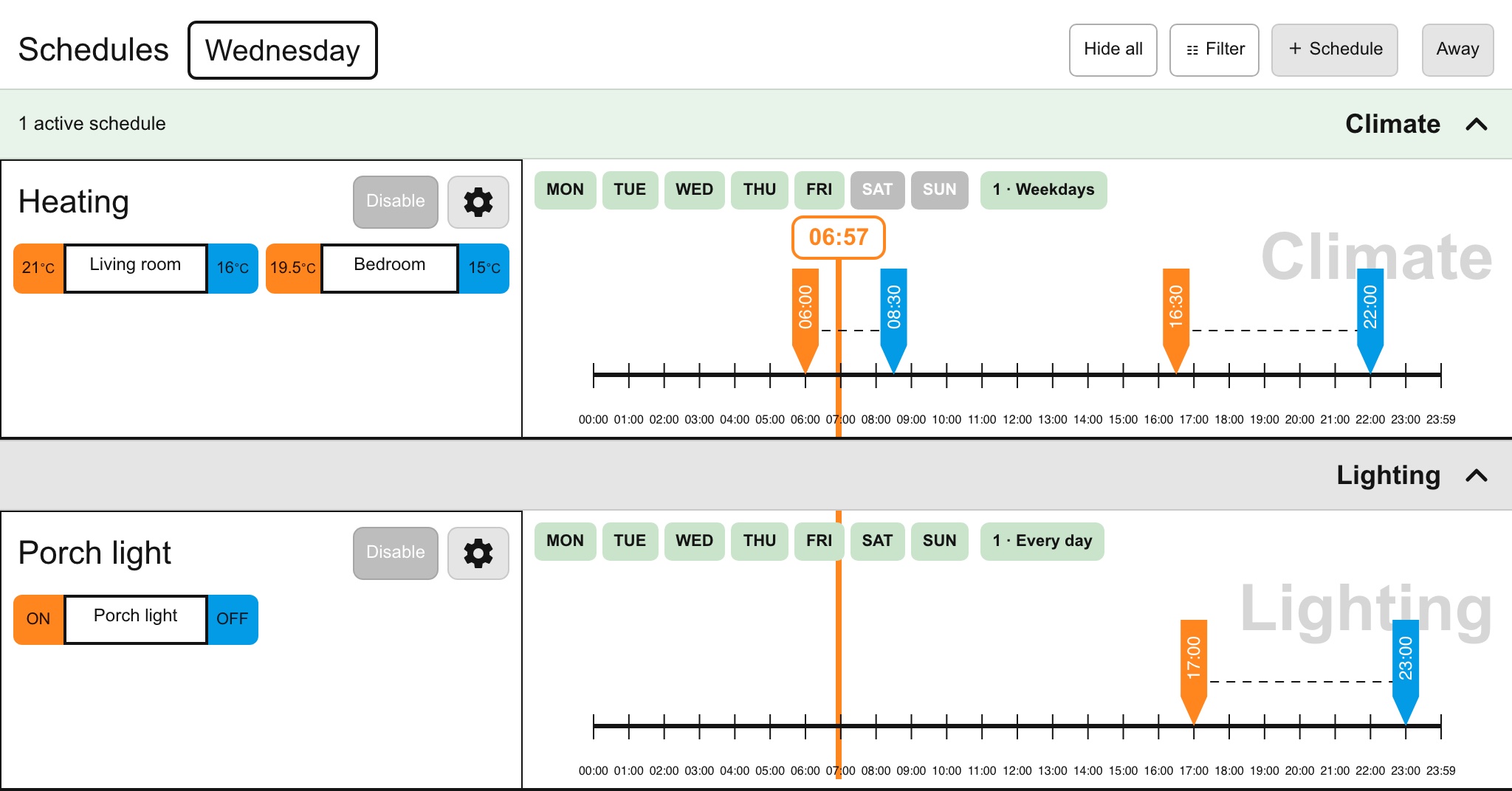
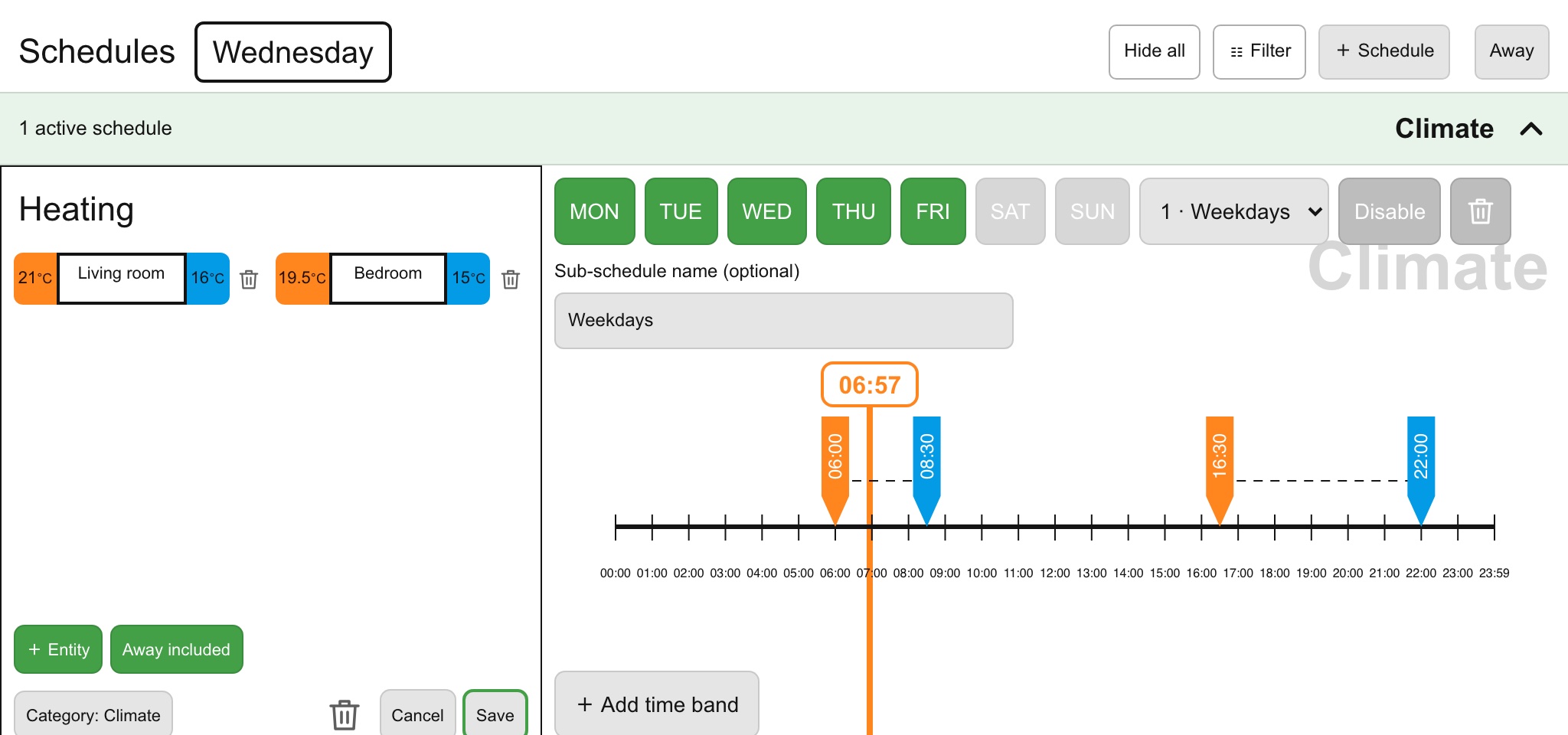
Per the project page, each schedule can control several devices, and every device gets its own Start and Stop values. A thermostat might get 21°C at Start and 13°C at Stop, while a light gets ON then OFF. Days can be grouped into named sub-schedules such as weekdays and weekends. Time bands can be recurring or one-off, and a one-off band removes itself after it runs. Bands can follow sunrise or sunset with offsets, and you can drag markers or type exact times.
Other features the author lists:
- Pausing a whole schedule, a day group or a recurring band.
- An Away mode for participating schedules, either indefinitely or until a chosen time.
- Previewing another day’s timetable without saving changes or commanding devices.
- Controls exposed to Home Assistant automations, plus categories and area, floor and activity filters.
The author says scheduling runs inside Home Assistant even when the dashboard is closed, and that manual device adjustments stay in place until the next relevant transition. Stated limits are seven day groups per schedule and ten bands per group.
What to check before installing
- Version. The current release is 2.0.4 and needs Home Assistant 2026.7 or newer. The author lists testing on 2026.7.0, 2026.8.1, 2026.9.4 and 2026.10.1. That is the author’s testing. We installed 2.0.5 on our test Home Assistant for the screenshots in this post, but have not run it on a real heating system.
- Upgrading from 1.x. This is the part to read slowly. Version 2.0 completes a rename of the integration, and the author says action names and the default Away entity change. Device-based automation targets also need updating. The documented path is to update, restart, add the new integration, then do a verification restart. The author specifically says not to delete the old entry first. If you tried an earlier version as a custom repository, read the migration guide before you touch anything.
- Your own automations. If anything of yours calls this integration’s actions or relies on its Away entity, expect to revisit it after a 2.0 move. Back up first.
- Existing schedules. Updates are described as download in HACS, restart, refresh the dashboard, with saved schedules retained.
Installing it
One HACS download includes both the integration and its dashboard card, with no separate JavaScript resource or YAML needed. After the download and a restart, add the integration under Settings, Devices & services. Then create a dashboard view set to Panel (single card) and add the Scheduling Manager card. The author recommends panel layout because it gives the timelines room, though other layouts are supported.
New HACS catalogue entries can take up to eight hours to show up in search. If it is missing, the author documents adding the repository manually as a custom repository with category Integration.
Our take
This is a community project from a single developer, so treat it like any custom integration: it is not part of Home Assistant itself. Look at how active the repository is, and keep a backup before major version jumps. That said, the problem it targets is real. Heating and lighting routines buried across many automations are hard for anyone else in the house to read, and a shared timeline fixes that. If you run a handful of room-by-room heating schedules, it is worth trying on a test view first. If your current schedules work and nobody is confused by them, there is no urgency. The author is asking for feedback and bug reports, so early adopters have a voice in where it goes.