
A community developer has released HA Style Hub, a custom integration that lets you change how Home Assistant looks from a graphical panel, with no hand-written CSS or YAML. The author calls it a hobby project built over about two and a half months, and asks for feedback and bug reports as GitHub issues. We installed version 1.5.8 on our test Home Assistant for the screenshots in this post, but have not lived with it, so the feature details below come from the author’s forum post and the project’s GitHub page.
What it does
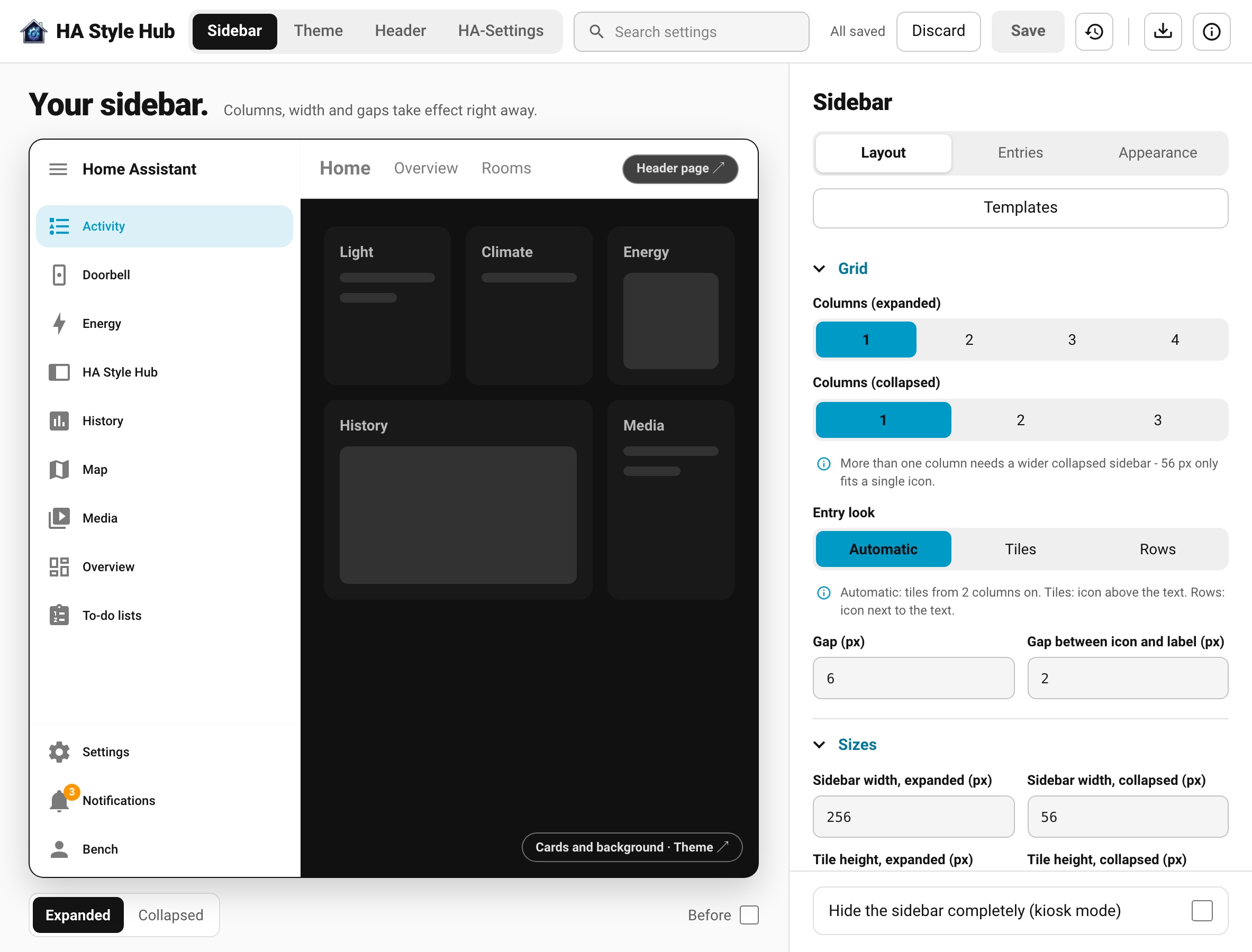
Each page of the panel shows a model of Home Assistant on the left. You click the part you want to change and its options open on the right. There are four areas:
- Sidebar: a 1 to 4 column grid, drag and drop order, section headings, groups, renamed entries, custom icons, hidden entries, and popup links that open several pages or a Lovelace card. The whole sidebar can also be hidden.
- Theme: a real Home Assistant theme with 309 variables for dark and light modes, palette and template helpers, and YAML import and export. The author says it is registered at runtime and leaves configuration.yaml untouched.
- Header: colours, gradients, blur, borders, four optional buttons on the right, and the option to move the bar to the bottom, which the author suggests for tablets.
- HA Settings: tiles for the settings menu, a slim list for Devices & services, a system monitor, a last-backup indicator with a create-backup button, and counters.
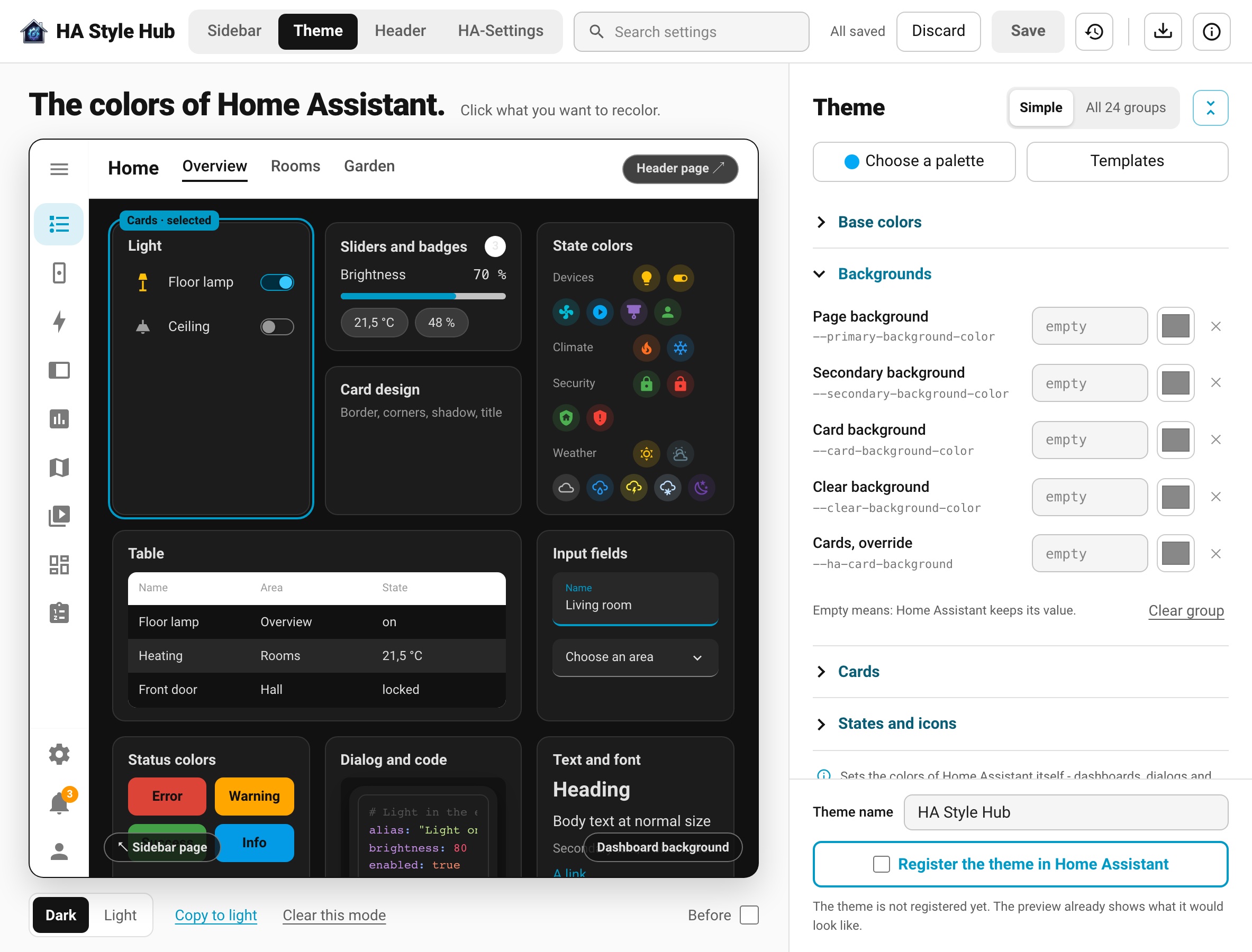
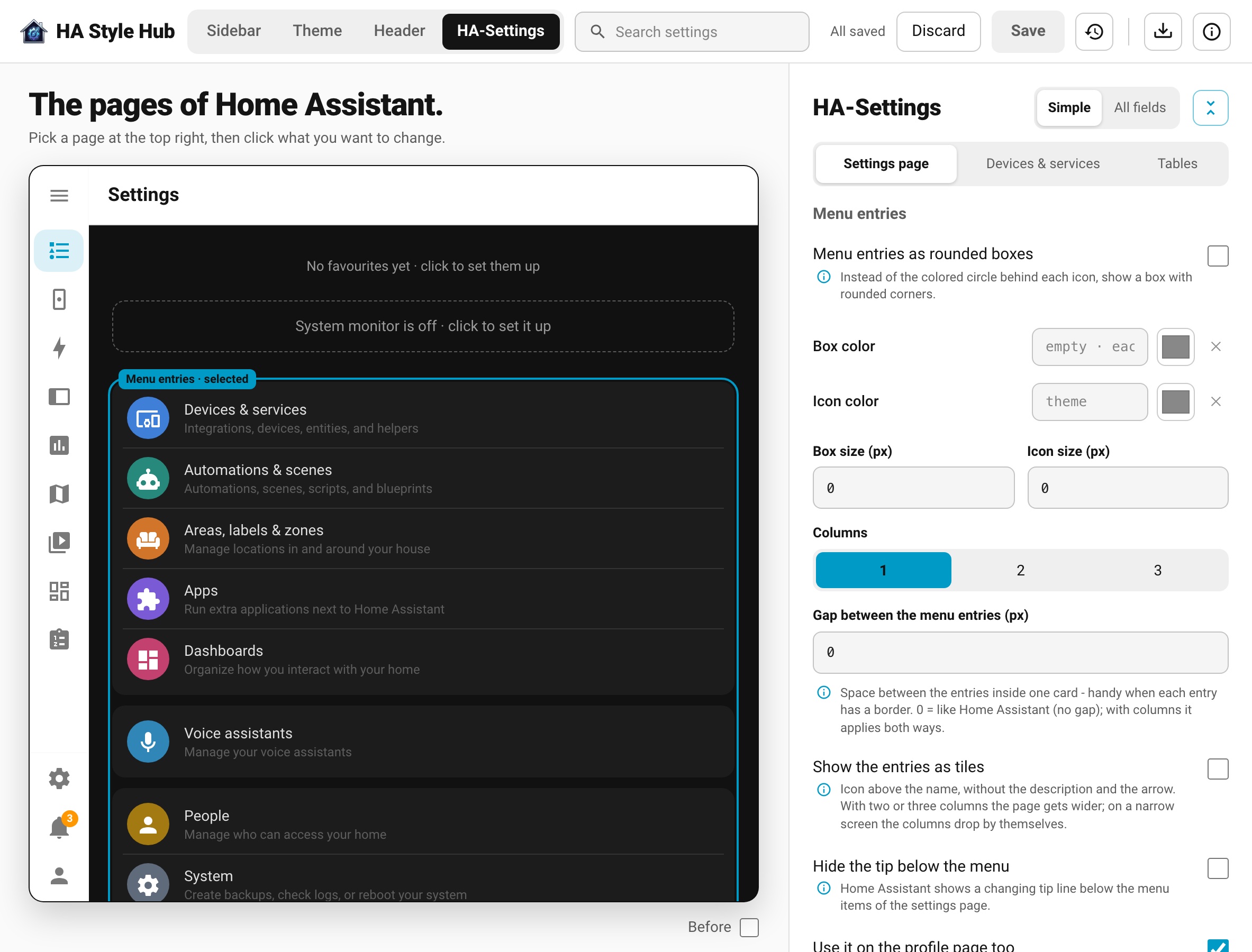
There is also a live preview with a before and after switch, undo and redo, a history of the last 10 saved states, and export or import for each section. Hiding the header and hiding the sidebar are exposed as switch entities, so automations can use them.
The restart button
One feature deserves a look before you enable it. An optional restart entry, for administrators only, opens a dialog that checks your configuration first. According to the author, it blocks the restart if errors are found. That is a sensible safety net, but it does not replace a backup.
What to check before installing
- Version: the project lists Home Assistant 2025.3 or newer as the minimum, because the grid needs the newer sidebar. The full tile look needs 2026.5 or newer, and the author says 2026.10 is the best match. On older versions it reportedly falls back gracefully.
- Custom, not core: it installs through HACS as a custom repository (category Integration), followed by a restart and adding it under Devices & services. Our usual rule applies to anything that modifies the front end: take a backup first, and note how to remove it.
- Updates: a tool that hooks into Home Assistant’s interface can break when the front end changes. Test it after each core update rather than during one, especially on a system others rely on.
- Shared systems: if a family or a client uses the dashboard, a restyled settings page that moves familiar menus around may confuse them. The panel stays reachable at /ha-style-hub even when the sidebar is hidden, which helps if you lock yourself out of the look you wanted.
The author says the technique for injecting styles follows the approach of UIX, the successor to card-mod, and that UIX does not need to be installed.
Who it suits
If you have a wall tablet or a shared dashboard and want a tidier sidebar without learning CSS, this is worth a trial on a test instance or after a fresh backup. If your system is stable and nobody complains about the default look, there is no urgency. It is a young one-person project, so treat it as something to try, not something to rely on yet.
The project page on GitHub has the full feature list and installation steps, and the forum thread is where the author collects feedback.