
A new custom integration for Home Assistant, LumaPresence, has gone to public beta. It simulates someone being home by switching lights on and off in a believable pattern, and it works alongside your alarm panel. The developer is upfront about its maturity: every feature is in place, but it has been tested in one home only.
What it does
It has four ways of running a night:
- Sun and Time: random but bounded lighting inside a night window that starts at sunset or darkness.
- Replay: plays back a real recent night from your own house, room by room, with a little random timing variation.
- Dream: builds a fresh night every night from a model of how each room is used, so anyone watching sees variety rather than a loop.
- Night sequences: optional routes, such as bedroom to hallway to bathroom and back, with the lights following the walk.
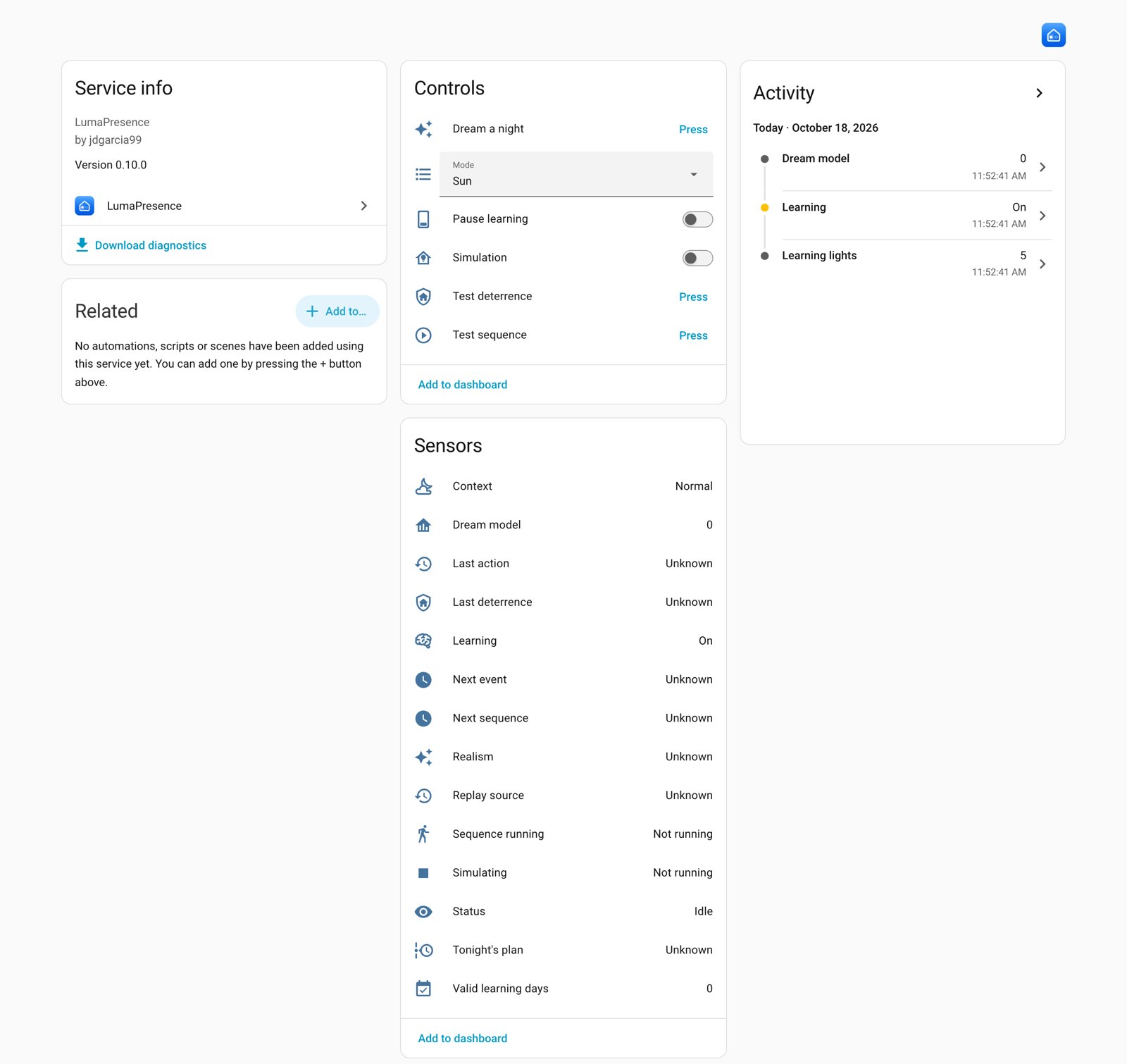
Learning only happens while people are home, and the developer says it ignores automations, its own actions and absences. When you disarm, it stops, and it never switches off a light a person turned on.
What to check before installing
- Version: Home Assistant 2025.3 or newer.
- Install route: it is not in the default HACS store. You add the GitHub address as a custom repository (category Integration), download it and restart Home Assistant.
- Language: the interface is English and Spanish only for now.
- Your lights: it controls lights and switches, so what matters is that they show up in Home Assistant. The page does not say anything about specific radios or brands, and we have not tried it.
Be patient with the smart modes
Replay and Dream are not instant. Dream plans its own nights only after 14 valid learned nights of the matching type by default, which the developer puts at about three weeks for weekday nights and about seven for weekends. Replay needs a learned night where at least 80 % of tonight’s window was observed and at least 4 events fell inside it. Until then it falls back to Sun mode and tells you why. If you are leaving on holiday next week, plan on Sun or Time mode.
Settings worth a look
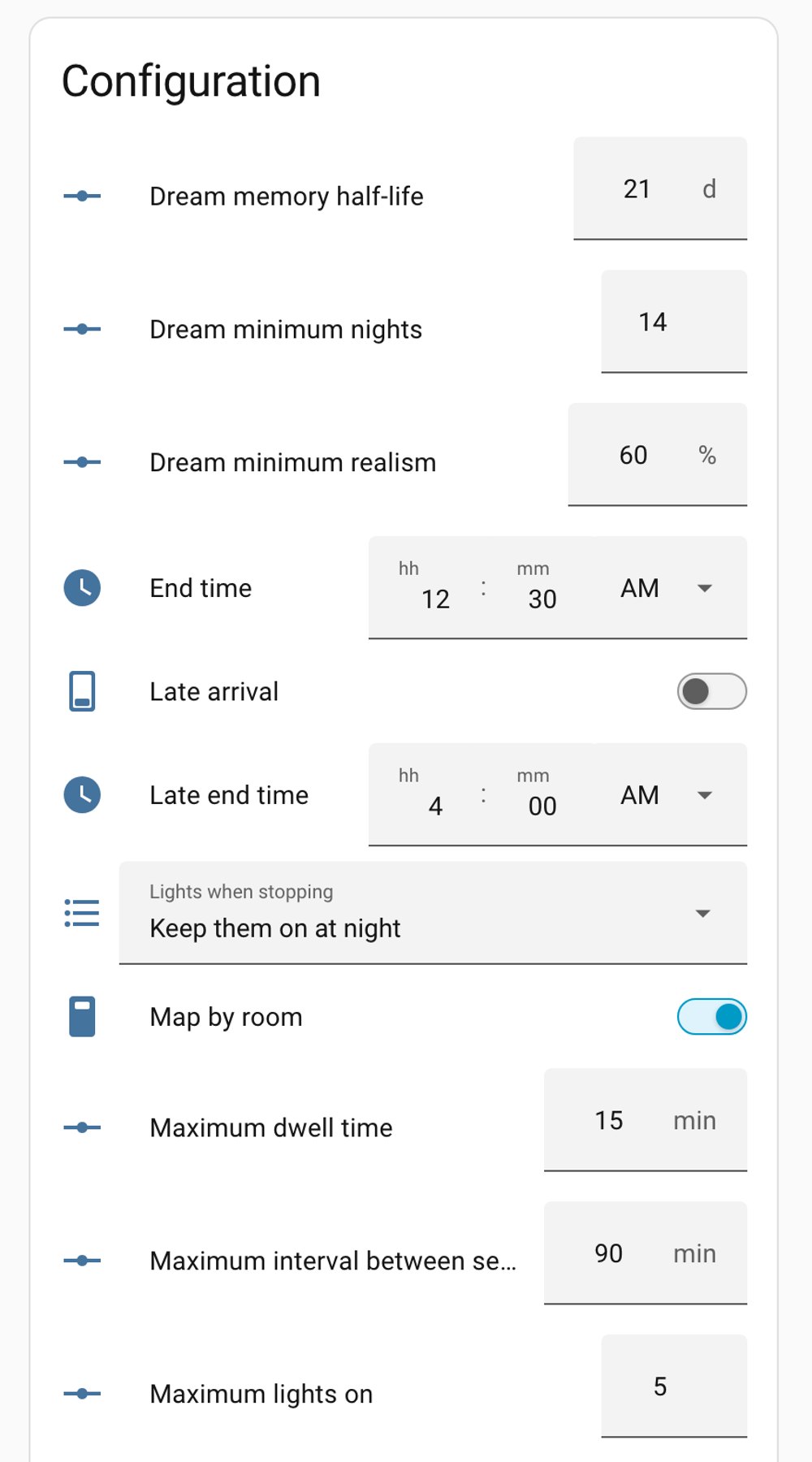
- Alarm control is off by default. Once enabled, arming away or vacation starts the simulation and disarming stops it. Armed home, night and custom bypass can be added.
- Mark front and rear lights. In Sun and Time modes it keeps a minimum number lit on the street side and the back, and the limits can be tuned.
- Replay is faithful. The minimum, maximum and facade limits are not applied to it.
- Indicator LEDs. Smart plugs and relays often expose a status LED as a light. It tries to exclude these automatically, and there is a preview list so you can spot a real lamp caught by mistake. Fridge lights and Christmas lights should go in the excluded list.
- Optional extras are off until you choose them: covers, media players for ambience, outdoor deterrence and night sequences.
Privacy
The developer says everything runs inside Home Assistant, the model is built locally from its own learned data, and nothing leaves your installation. The optional AI feature, used for Dream scenarios and morning report text, is off unless you pick an AI task entity. If you turn that on, check what your chosen AI service receives, because the page does not spell that out.
Our take
Presence simulation is one of those jobs that is easy to do badly with a fixed timer, and a house that learns from real habits is a sensible idea. Still, this is a one-home beta. We would try it on a modest set of lights first, watch the preview and the morning report, and keep a simple fallback automation until it has proven itself in your house. Nothing here requires replacing hardware, so the only cost of waiting is a few weeks of reading other owners’ bug reports.